Only 12% of employees strongly believe their organization does onboarding well, even though formal onboarding exists at many companies. At the same time, companies with structured onboarding report 50% higher retention, and employees are reported to be 10 times more likely to stay when the process is strong, according to onboarding benchmark data from Yomly. Those figures point to a practical reality: digital onboarding isn't an HR paperwork project. It's an operating system for the employee's first impression, first contribution, and decision to remain.
A mature digital employee onboarding process connects HR, IT, hiring managers, facilities, payroll, security, and sometimes fulfillment partners in one coordinated journey. It automates predictable work, but it doesn't automate welcome, judgment, coaching, or the small moments that make a distributed employee feel expected. The difference between a polished program and a frustrating one usually appears in the handoffs, not in the onboarding platform's feature list.
Table of Contents
- Why Digital Onboarding Is Now a Retention Strategy
- Designing the Preboarding and Day 1 Experience
- Building a 90-Day Role Ramp With Milestone Feedback
- Coordinating Cross-Functional Handoffs and Physical Logistics
- Choosing the Right Technology Stack and Vendors
- Measuring Success and Fixing Common Breakdown Points
- Your Implementation Checklist and Communication Templates
Why Digital Onboarding Is Now a Retention Strategy
Only 12% of employees strongly believe their organization does onboarding well, even though 66% say onboarding exists formally, according to Yomly's summary of onboarding statistics. The gap points to a practical failure: completing forms is not the same as preparing someone to contribute. A new hire can sign every document and watch every required video while still lacking a clear approver, the right systems, or a definition of success for the first month.
Retention reflects that difference. Structured onboarding is associated with 50% higher retention, and employees with a strong onboarding experience are reported to be 10 times more likely to stay. Other benchmarks in the same source identify the first 90 days as a sensitive period, with roughly 30% of new hires leaving within that window and about 37.9% leaving within the first year. These figures are not a forecast for every employer. They show why early tenure needs active operational ownership rather than a checklist left with HR.

From paperwork to an operating process
Digital onboarding now covers more than collecting forms. Industry reporting cited by Enboarder says 54% of companies have opted for virtual onboarding, 59% have shifted to online application frameworks, and 60% are using or testing AI-enabled onboarding. The same reporting says 25% plan to invest in AI-enabled onboarding within 12 to 18 months, while 82.5% of HR leaders are somewhat or very likely to switch or update onboarding technology within the next 12 months.
Automation can show whether a document was signed, an account activated, a training path completed, or a manager check-in recorded. Those signals matter only when the workflow matches the employee's real experience. A dashboard showing 100% completion can still conceal a late laptop, an unprepared manager, or a role-specific system that remains inaccessible because IT never received the right handoff.
Practical rule: Automate evidence of progress, then assign a human owner to every decision, introduction, and relationship-building moment.
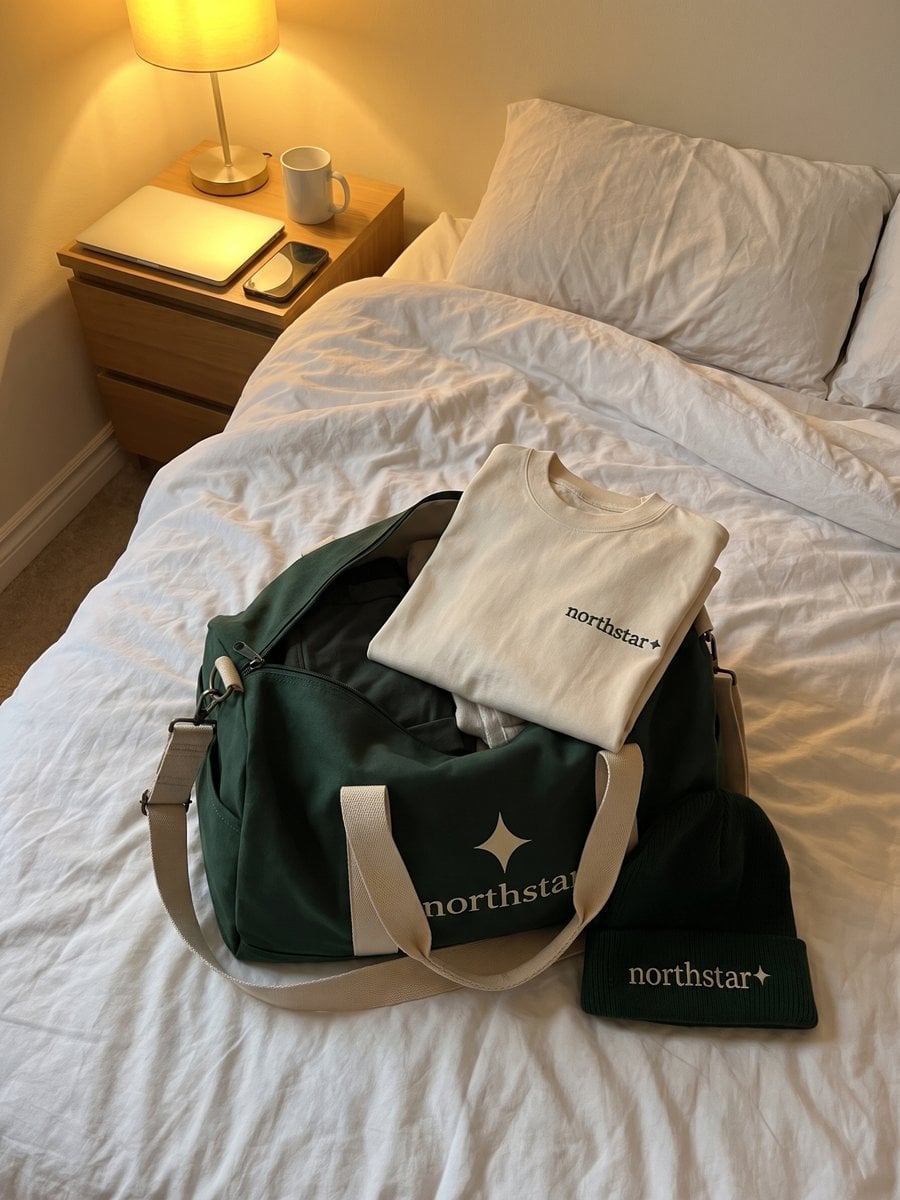
The same principle applies in operational roles. Teams thinking about holding onto good truck drivers face the same underlying challenge: retention begins before employees have enough tenure to build strong habits or relationships. Digital workflows create consistency across locations, but supervisors still need to make each new hire feel expected, equipped, and seen. That includes coordinating the people side with physical logistics, such as equipment, onboarding kits, or swag, because a missing package can undermine an otherwise well-designed first experience.
Designing the Preboarding and Day 1 Experience
Preboarding starts when the offer is accepted, not when the employee logs in on the first day. The workflow should create a visible chain of ownership from signed agreement to payroll readiness, system access, manager preparation, and welcome communication. If any link is missing, HR becomes the informal project manager, chasing updates across email and chat.
A useful sequence looks like this:
- Offer accepted: Trigger the employee record, contract workflow, tax and benefits forms, location data, and start-date confirmation.
- Welcome message sent: Send a personal note from the hiring manager, followed by a concise information pack with schedule, contacts, expectations, and support routes.
- Technology prepared: Create accounts according to role and location, then route exceptions to IT instead of leaving the employee to report missing access.
- Manager readiness confirmed: Require the manager to approve the first-day agenda, assign a buddy, and prepare the first meaningful conversation.
- Day 1 delivered: Combine orientation, role context, team connection, and a clear next action. Don't fill the day with policies alone.
The preboarding message should answer practical questions before they become anxiety. Tell the employee where to go, how to join, what equipment to expect, what to complete, and who to contact if something fails. Send compliance documents asynchronously, but keep the welcome, role explanation, and introductions human. A manager's short video or live call can provide context that a portal can't.
The hybrid model deserves deliberate design. A 2025 survey of 1,156 US employees found hybrid onboarding delivered the highest satisfaction at 75%, compared with 73% for in-person and 71% for remote onboarding, and recorded the lowest dissatisfaction at 10%, according to BambooHR's onboarding benchmarking survey. The result doesn't mean every hybrid program works well. It suggests that employees value a blend of flexible digital access and real connection.
What should arrive before Day 1
Keep preboarding focused. New hires need enough information to feel prepared, not a library of documents they can't yet interpret.
- Send essentials early: Contracts, payroll instructions, benefits choices, security requirements, and a first-day schedule belong in the preboarding flow.
- Delay deep training: Save detailed process education for the point when the employee understands their role and can connect the material to real work.
- Confirm logistics: Check equipment, office access, shipping details, accessibility needs, and time-zone expectations before the start date.
- Give managers a script: Provide prompts for discussing priorities, working norms, decision rights, and the first deliverable.
A welcome package can reinforce that preparation physically. Teams building a useful new hire welcome package should treat it as part of the experience, not as a substitute for manager contact. The kit should arrive when it can support the first interaction, with shipping status visible to the appropriate owner.
Building a 90-Day Role Ramp With Milestone Feedback
Completion isn't readiness. A new hire can finish required modules and still feel undertrained, especially when the content explains company policy but not the decisions, tools, and standards attached to the role. Remote onboarding benchmarks from Build Empire report that only 39% of employees received the right level of support during remote onboarding, while 63% of remote employees felt undertrained despite completing formal requirements.
A useful ramp shifts the question from “What has the employee completed?” to “What can the employee now do with appropriate support?” Build the answer around role outcomes, manager observation, and feedback from the new hire.

Days 1 to 30, foundation
The first phase establishes role clarity. The manager should explain priorities, stakeholders, decision boundaries, required tools, and the standard for an acceptable first contribution. Training should be role-specific, with a mix of self-serve material, live demonstrations, shadowing, and guided practice.
Schedule an early check-in that asks:
- Which part of the role remains unclear?
- Which system, process, or person is blocking progress?
- What has the employee practiced, rather than merely watched?
- Does the original role description match the work now being requested?
The manager should document answers and assign owners. Otherwise, the same uncertainty will surface repeatedly without a correction.
Days 31 to 60, integration
The employee should begin contributing to real work with controlled scope. Pairing, peer review, and cross-functional introductions help the new hire understand how work moves through the organization. The manager's job is to reduce support gradually, not withdraw it abruptly.
A good milestone includes evidence such as a completed workflow, a reviewed customer interaction, a successful handoff, or a documented recommendation. The exact evidence depends on the role. What matters is that the employee and manager agree beforehand on what progress looks like.
Days 61 to 90, contribution
The final phase moves toward autonomy. The employee should own a defined area, explain trade-offs, and identify where additional development is needed. The review should cover performance, confidence, relationships, workload, and future learning, not just whether onboarding tasks are closed.
Use the digital platform to schedule reminders, collect reflections, and flag incomplete milestones. Keep interpretation with the manager. Automated sentiment prompts can surface a concern, but a manager must explore it with curiosity and act on what they learn.
Coordinating Cross-Functional Handoffs and Physical Logistics
The most fragile part of onboarding is often the handoff between teams. HR owns the employee record, IT controls access, the hiring manager owns readiness, facilities handles the workplace, and a fulfillment partner may control the physical welcome experience. Each team can complete its own task while the overall journey still fails.
Map onboarding as a dependency chain rather than a collection of checklists. The start date should trigger a service-level expectation for each owner, with a visible status and an escalation route. HR shouldn't have to ask whether the laptop shipped. IT shouldn't have to guess which applications the employee needs. The manager shouldn't discover on Day 1 that the new hire has no access to the team's core workspace.

Build one ownership map
A practical ownership map should identify:
- HR: Employment documents, policy acknowledgments, location data, benefits routing, and the employee's overall journey.
- IT: Identity setup, device provisioning, permissions, security training, and first-line technical support.
- Hiring manager: Role expectations, first priorities, introductions, buddy assignment, and milestone conversations.
- Facilities or workplace: Desk, badge, building access, safety information, and local arrangements.
- Fulfillment partner: Kit configuration, address validation, production, shipping, tracking, and replacement handling.
Physical logistics need the same discipline as digital tasks. A remote employee may receive a laptop and welcome kit at a residential address, while a hybrid employee may need the kit at an office or event. Global teams also have to account for local availability, customs requirements, address formats, and the risk that a one-size-fits-all package feels irrelevant in another market.
A kit should have a purpose. Include items that help the employee work, participate, or understand the brand, and give the recipient a way to choose sizes or decline items that don't fit their needs. Track shipment status separately from employee onboarding completion so a delivered form doesn't create a false impression that the physical experience is complete.
For companies coordinating suppliers across regions, global fulfillment services can be evaluated alongside the onboarding platform. The key question is whether the service provides reliable ownership, reporting, quality control, and support when an address or shipment exception appears.
The employee experiences one onboarding journey. Your internal departments can't make them manage the seams.
Choosing the Right Technology Stack and Vendors
Technology selection should follow workflow ownership, data movement, and exception handling, not a product demo. Start by mapping who owns each handoff between HR, IT, hiring managers, and any fulfillment partner. A platform that looks complete can still leave someone responsible for chasing missing access, correcting employee data, or replacing a delayed kit.
All-in-one platforms
An HR suite with onboarding modules fits organizations whose employee records, payroll, benefits, learning, and reporting already share one environment. Fewer integrations can simplify governance and provide a clearer system of record. The trade-off is a less flexible employee experience. Physical kit fulfillment, complex global routing, and manager-specific workflows may still require separate tools.
Specialized onboarding software
A dedicated onboarding platform can strengthen journey design, manager prompts, conditional workflows, communications, and analytics. It suits teams whose HRIS handles records reliably but does little to coordinate the experience. Plan for integration work, data mapping, permission reviews, and another vendor relationship to manage.
Managed services
Managed services help when operational work is too complex or too variable to keep in-house. Document handling, identity verification, merchandise production, shipping, and employee support require different capabilities. Ask each vendor where its responsibility starts, how shipment and access exceptions are escalated, which team contacts the employee, and what data returns to your system.
The physical layer deserves its own evaluation. A vendor may offer branded kits but lack address validation, regional sourcing, return handling, or tracking that connects with onboarding status. Confirm how it handles a wrong address, a customs delay, a missing size, or a new hire who starts before the package arrives.
AI features also need practical testing. Ask whether AI reduces repetitive work, improves routing, or personalizes learning in a way managers can review. Check data retention, access controls, audit trails, regional processing, integration behavior, and the process for correcting an automated decision. A summary feature has little value if it creates another review queue.
The same criteria apply to adjacent systems, including volunteer management software. Assess ownership, configurable workflows, reporting, and integration reliability instead of counting features.
FLYP LTD is one option for the physical layer. Its platform supports branded onboarding kits, employee merchandise, fulfillment, international shipping, customer service, and returns, connecting digital welcome flows with managed physical touchpoints. Confirm the operating model and escalation path before assigning it a critical handoff.
Measuring Success and Fixing Common Breakdown Points
A completion rate tells you whether someone clicked through a process. It doesn't tell you whether the employee can work, feels connected, or trusts the organization to support them. The strongest measurement approach combines operational signals, employee feedback, manager observation, and early retention.
Use a small dashboard that prompts action rather than a large report that creates passive visibility.
| KPI | What It Measures | Target Benchmark | Red Flag Threshold |
|---|---|---|---|
| Task completion | Whether required actions are finished | All critical tasks have an owner and status | A critical task is overdue or unassigned |
| Access readiness | Whether the employee can use required systems | Role-critical access is ready by the start date | The employee reports missing access after starting |
| New-hire confidence | Whether the employee understands the role and support network | Confidence improves at each milestone | The employee can't explain priorities or where to get help |
| Manager check-in quality | Whether conversations address actual progress | Check-ins produce documented decisions and next actions | Meetings occur without feedback or ownership |
| Time to contribution | Whether the ramp connects learning to real work | Role-specific contribution is visible during the ramp | Training is complete but work remains blocked |
| Early retention | Whether the experience supports continued employment | Review retention alongside qualitative feedback | Departures cluster during the early-tenure period |
These are operating targets, not universal numeric benchmarks. Set internal baselines first, then define thresholds that trigger investigation. For satisfaction design, teams can use guidance on measuring employee satisfaction to shape questions and interpret responses consistently.
Diagnose the leak, not just the symptom
If access readiness fails, review the request trigger, approval dependency, and role-to-permission mapping. If employees report low confidence, inspect the manager conversation and role learning path rather than adding more policy content. If kits arrive late, separate address collection, production, inventory, and carrier tracking so the failure has a named owner.
Compliance-heavy flows create another risk. Secure storage, e-signatures, automated reminders, and current forms reduce manual exposure, but they shouldn't turn the employee experience into a series of warnings. Pair every required action with a plain-language explanation of why it matters and a clear support route.
Measurement principle: Every KPI should answer the question, “What will we change when this signal moves?”
Review results by location, role, manager, and work model. A global average can hide a recurring issue affecting one country, one function, or one type of employee.
Your Implementation Checklist and Communication Templates
Launch the digital employee onboarding process in a controlled sequence. Start with one cohort, document every handoff, and fix the workflow before adding more roles or regions.
Implementation checklist
- Map the journey: Record every task from offer acceptance through the first role milestone.
- Assign owners: Give HR, IT, managers, facilities, and fulfillment clear responsibilities.
- Create role paths: Separate shared compliance content from role-specific learning and access.
- Set exception rules: Define what happens when a document is incomplete, a device is delayed, or a manager misses a task.
- Prepare physical touchpoints: Confirm addresses, sizes, local inventory, packaging, shipping visibility, and replacement handling.
- Pilot the flow: Observe a small cohort and interview new hires, managers, and support teams.
- Review evidence: Compare completion, access readiness, confidence, feedback quality, and early retention signals.
Communication templates
Offer acceptance welcome: “Welcome to the team. Your start date is [date]. You'll receive your forms, first-day schedule, equipment details, and support contacts through [platform]. I'll contact you before you start to discuss your role and answer questions.”
Preboarding packet: “Before your first day, please complete [tasks]. Your manager is [name], your IT contact is [name], and your first-day meeting begins at [time and time zone].”
Day 1 schedule: “Today you'll meet [people], review [role priorities], complete [essential setup], and finish with a check-in to confirm what you need next.”
30-day check-in: “What feels clear, what remains difficult, and which task would help you contribute with more confidence?”
90-day review: “Let's review your progress, the work you now own, the support that helped, and the skills or relationships to develop next.”
Keep the language warm, specific, and easy to scan. Then use feedback to revise the workflow, not just the wording.
FLYP LTD helps People teams connect digital onboarding workflows with branded employee kits, global fulfillment, shipping, returns, and reporting. Visit FLYP LTD to explore a managed merch layer for new-hire onboarding and recognition programs.