You've built the drop, posted the Story, and told people to “tap the link in bio.” Then the clicks arrive, but orders don't. The usual culprit isn't a lack of attention. It's a journey that asks viewers to leave the Story, find the right link, figure out what's being offered, and still feel motivated to buy.
Treat the link in bio story as a conversion path, not a traffic shortcut. Choose the destination that fits the viewer's intent, make every frame earn the next action, and judge the result by purchases rather than taps.
Table of Contents
- What a Link in Bio Story Actually Is
- Setting Up Your Bio Page and Storefront
- Bio Link vs Story Sticker vs Native Product Tag
- Sequencing Frames That Earn the Click
- Tracking the Funnel From Impression to Purchase
- A 30-Minute Creative Brief That Ties It Together
- Trust, Refresh Cadence, and What to Remove
What a Link in Bio Story Actually Is
A bio page and a link in bio story aren't the same thing. The bio page is a destination that collects links. The story is the narrative that moves a viewer toward a decision. Confusing them leads teams to send every Story to the same crowded hub, even when one product or offer deserves a direct route.
That default is tempting because link-in-bio tools are familiar and widely used. An analysis of almost 2 million Instagram influencer profiles found Linktree on nearly 16% of profiles, compared with 0.96% for Linkin.bio and 0.74% for Beacons, according to Business Insider's reporting on the link-in-bio category. Those figures show how firmly the bio hub became a default. They don't prove it's the right endpoint for every campaign.
A working definition for your team: a link in bio story is a staged path from Story content to one clear decision point, with the bio page as one possible destination. For a broad campaign, that endpoint might be a storefront or newsletter signup page. For a focused merch drop, a Story link sticker or native product tag may be more direct.
Earn the click before you ask for it
A link sticker doesn't fix a weak offer. First, show viewers why the product matters. Then give them one action that matches what they've just seen. If the Story introduces a new collection but the link opens a menu of unrelated destinations, the viewer has to do the campaign's navigation work.
For a practical guide to shaping Stories around performance goals, see this Stories creative guide for performance marketers. The principle holds whether you're selling a creator's capsule tee or promoting an employee store: the Story should make the next step obvious before the viewer taps.
Setting Up Your Bio Page and Storefront
A strong Story can't rescue a confusing destination. Before publishing, make sure the page loads well on mobile, explains the offer immediately, and routes visitors to a useful next step. Link-in-bio tools have become creator infrastructure: Linktree's reported user base rose from 41 million in December 2023 to 47 million in March 2024, passed 50 million in May 2024, and exceeded 70 million by April 2025, as detailed in Dataintelo's link-in-bio market overview. Choose your setup for the workflow you need, not because a tool is popular.
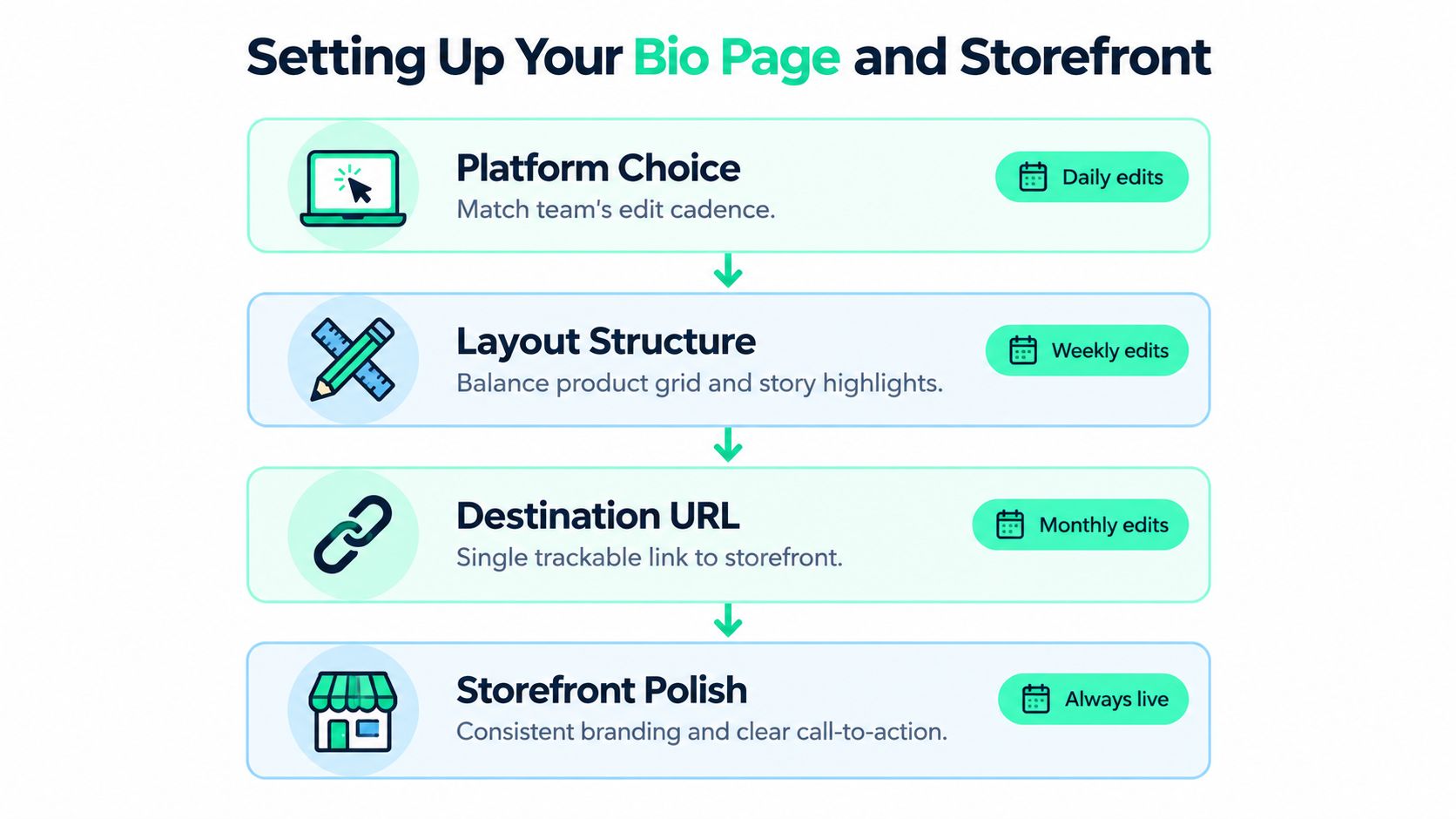
Make four decisions before launch
Choose the platform for your editing rhythm. If the team changes products and copy often, prioritize a page that's easy to update and connects cleanly to the merchandise workflow. If the page is mostly evergreen, a simple branded landing page may be enough. Don't buy complexity you won't maintain.
Pick a hub or a storefront. A link hub works when visitors need several useful destinations, such as a store, newsletter, and community. A merch-first storefront is better when the Story promotes a specific collection and the purchase should be the obvious next move. A broad menu is not a substitute for a campaign landing page.
Put the primary action first. Lead with a specific offer, such as “Shop the new capsule,” not a vague button like “Explore.” Remove dead offers, duplicate social links, and unfiltered affiliate lists. If you need a fuller walkthrough for a digital product destination, these ebook sales funnel and storefront tips offer useful considerations for presenting an offer clearly.
Connect measurement before traffic arrives. Tag each destination with consistent UTM parameters that identify the campaign, placement, and creative. Use a branded domain when it supports trust and is easy to manage. Test the page on a phone and check that the first screen explains the offer without requiring a scroll.
For a closer look at the role of the profile destination, use this guide to the Instagram bio link. The operating rule is simple: one campaign, one obvious next action, one trackable route.
Bio Link vs Story Sticker vs Native Product Tag
Pick the path based on two things: how ready the viewer is to buy and how much friction the path adds. A bio link is a flexible hub, but viewers may need to leave the Story, visit the profile, locate the link, and choose a destination. A Story link sticker can take them straight to one relevant page. A native product tag can keep the product tied to the content where the viewer discovered it.
That last option matters when intent is high. Commentary on social commerce suggests shoppable video can outperform a bio-link journey by as much as 2.5×, in part because it removes steps between viewing and finding the product, as described in this discussion of social commerce and shoppable video. Treat that as a directional comparison, not a promise for every campaign. The right choice still depends on platform features, audience behavior, and the landing experience.
Use this three-question decision rule
Ask: Is the viewer exploring or deciding? If they need to choose among several destinations, a bio page is useful. If they've just seen one product and the Story's purpose is to sell it, send them directly to that product.
Next ask: Can the platform keep the purchase connected to the content? Use a native product tag when the product is available to tag and the viewer is already showing purchase intent. Use a Story sticker when a direct landing page is the clearest supported route. For setup guidance, consult this practical guide on how to add a link to an Instagram Story.
Finally ask: What's the shortest reliable route to the decision? Don't send a buyer to a multi-link hub if a product page will do. For a deeper look at in-content commerce, see this guide to shoppable video content.
| Path | Best when intent is | Friction level | Strongest use case |
|---|---|---|---|
| Bio link | Broad or exploratory | Higher if the hub has many choices | Several live destinations, such as a store, newsletter, or community |
| Story sticker | Focused on one offer | Moderate | A specific product, launch, or event |
| Native product tag | Close to purchase | Lowest when available and configured | A product featured in video or other in-content shopping |
Sequencing Frames That Earn the Click
Don't open with a link sticker and hope the offer explains itself. Give the viewer a reason to care, show the product in context, make one clear offer, then ask for action. Add urgency only when a real limit exists. Scarcity copy without genuine scarcity teaches customers to distrust the next launch.
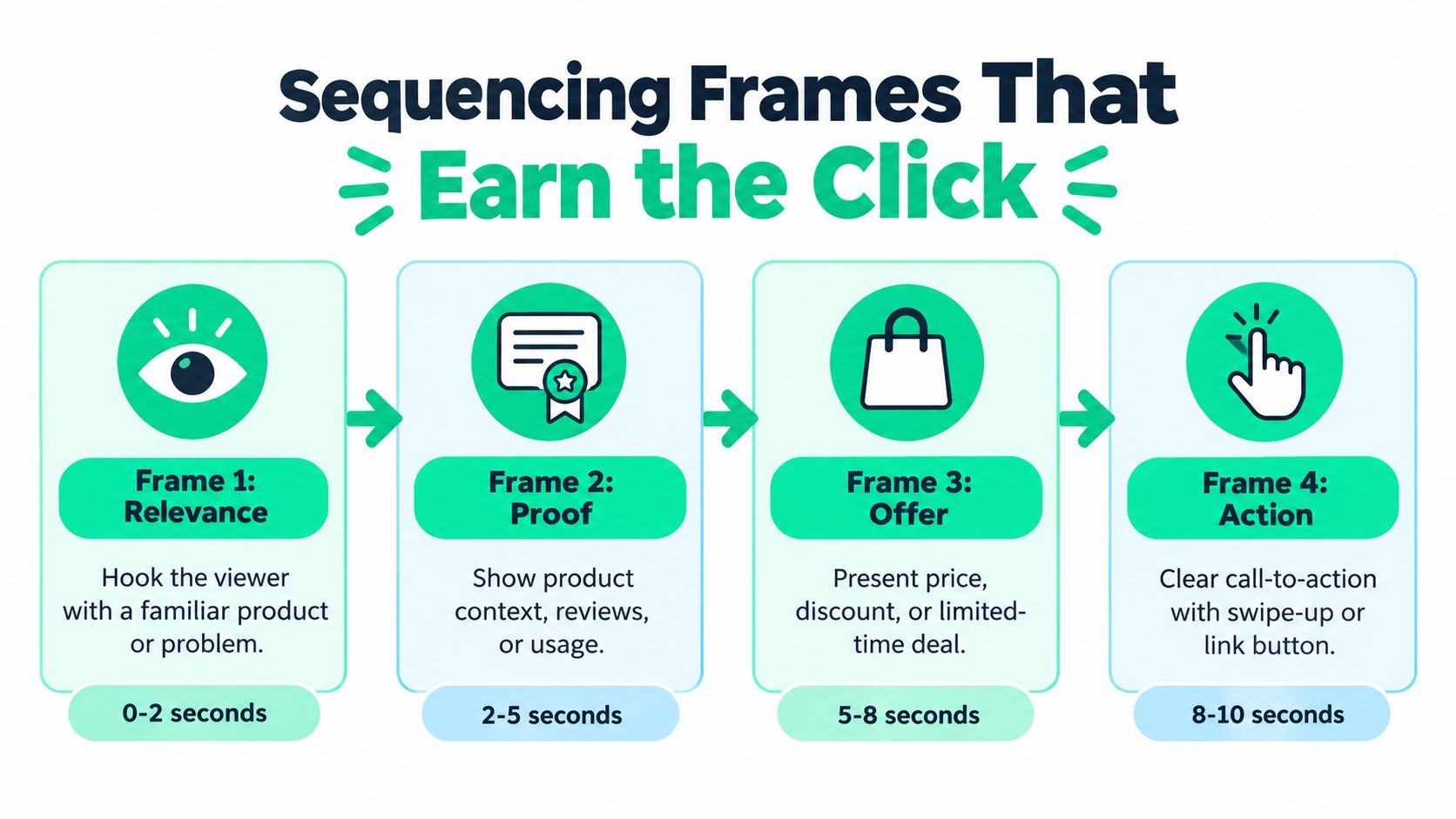
Two sequences, one clear action
A creator launching a capsule tee could build a Story like this:
- Frame one, relevance: Show the creator wearing the tee in a setting their audience recognizes. Name the reason for the drop, not just the fact that there is a product.
- Frame two, proof: Show the fit, fabric, or design detail that answers a likely buyer question. A close-up or a quick styling change is more useful than a generic product shot.
- Frame three, offer: State what is available and where to see it. Use a direct product destination if the viewer is ready to shop.
- Frame four, action: Add the link or product tag and tell viewers exactly what they will find when they tap. Mention a deadline only if the offer ends then.
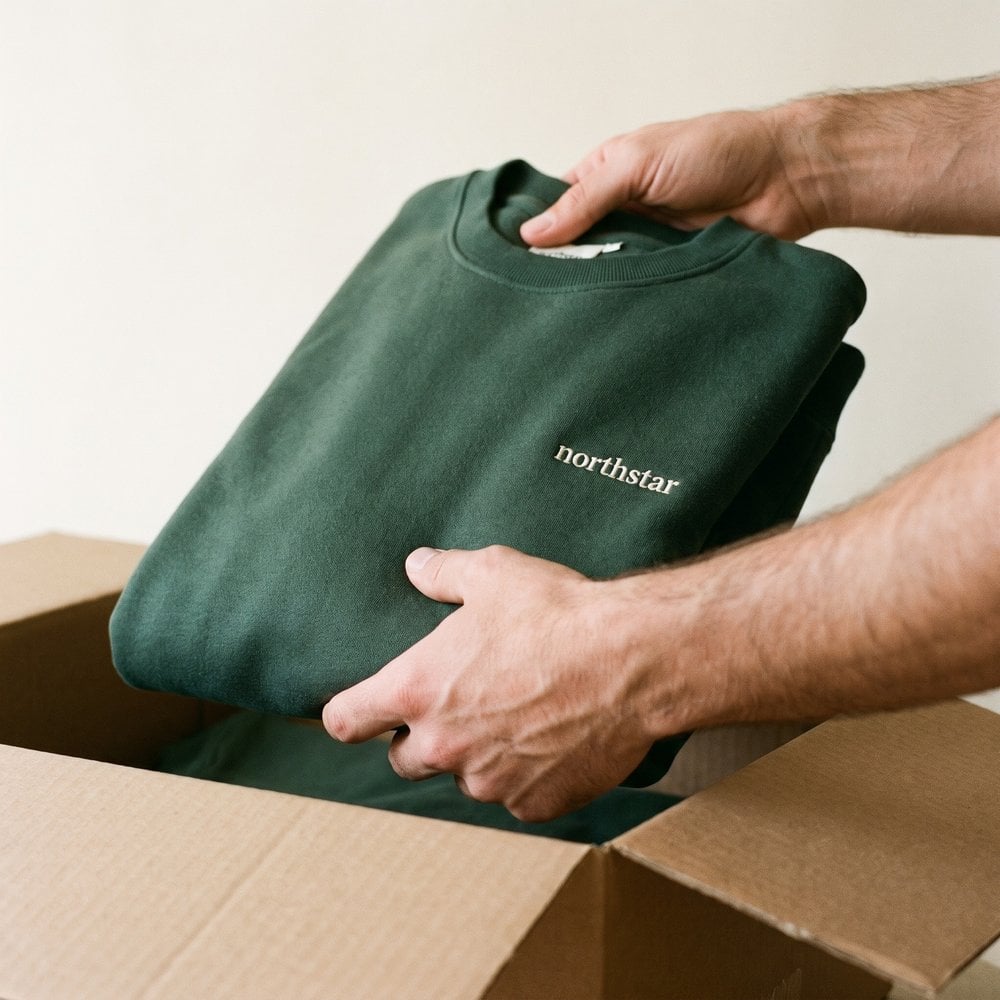
For an enterprise People team teasing an onboarding swag collection, the opening can show a new hire receiving or wearing an item. The next frame can establish how the pieces fit the company's culture or onboarding experience. Then point to the employee-choice store, where staff can review the available items, and finish with the action. The purpose isn't to imitate creator launch language. It's to make the destination feel relevant to the audience.
A useful account of Story link performance shows wide variation, with reported ranges from roughly 1–3% average CTR to higher working and top-end results in tuned campaigns. The Instagram Stories performance overview makes the practical point: patterns matter more than chasing a single benchmark. Define CTR as link clicks divided by Story impressions, and compare similar content and audiences.
Creative rule: Put the link after the value. If viewers haven't learned what they're clicking for, the sticker is an interruption, not a conversion tool.
Skip three competing CTAs, vague “shop now” copy, and a first frame that sends viewers out before the offer is clear. Keep the sequence focused, then let the destination finish the job.
Tracking the Funnel From Impression to Purchase
Treat the link in bio as a conversion funnel, not a shortcut for counting traffic. Track profile visits → page visits → product-link clicks → checkout starts → purchases. Each stage reveals a different point of friction, and each rate should use the preceding stage as its denominator.
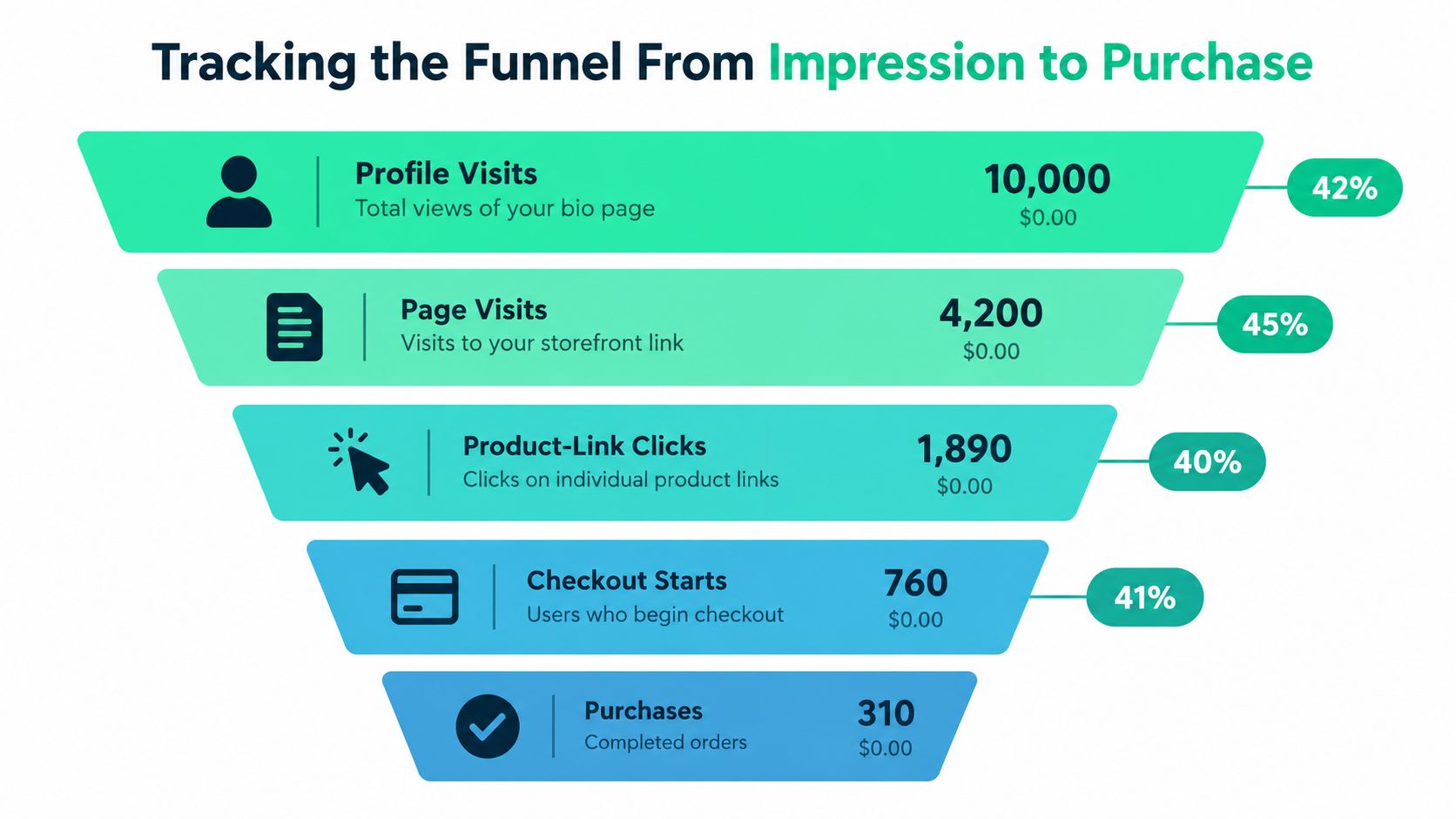
Calculate each step consistently
Divide each stage's count by the count immediately before it. Page visits divided by profile visits gives the profile-to-page rate; product-link clicks divided by page visits gives the page-to-product rate. Use the same method for checkout starts and purchases. Keep raw counts beside the rates so a small or changing audience does not make percentages misleading.
Set a baseline across two weeks, segmenting traffic by source and audience. Then test one change at a time, such as a single featured product versus a multi-link menu, or benefit-led copy versus urgency-led copy. Keep UTM conventions consistent to separate a launch Story from a reminder or an evergreen Reel. Use revenue attribution to connect campaign activity with sales.
Use link-in-bio CTR ranges as directional context. Typical CTR is around 1–3%, while purchase-intent audiences may reach approximately 8–10%, according to Hopp's guidance on link-in-bio CTR and clicks. These are not guaranteed results. Compare campaigns only when their audiences and intent are similar.
Avoid the two reporting traps
First, don't divide clicks by follower count. Followers may not have seen the Story or post, so that denominator misrepresents who had a chance to click. Use Story impressions for Story CTR, and keep denominators consistent by placement.
Second, don't optimize page clicks while ignoring checkout. A strong click rate can still lead to weak sales if mobile shoppers hit friction. Check page speed, product details, shipping clarity, and checkout errors before changing the creative. Use purchase completion to decide whether the problem is the Story's audience and promise, or the shopping experience after the click.
A 30-Minute Creative Brief That Ties It Together
Before a drop goes live, force the team to make its choices on one page. Write down one audience, one product or collection, one destination path, one Story sequence, and one metric that decides success. If the team can't state those clearly, the campaign isn't ready for production.
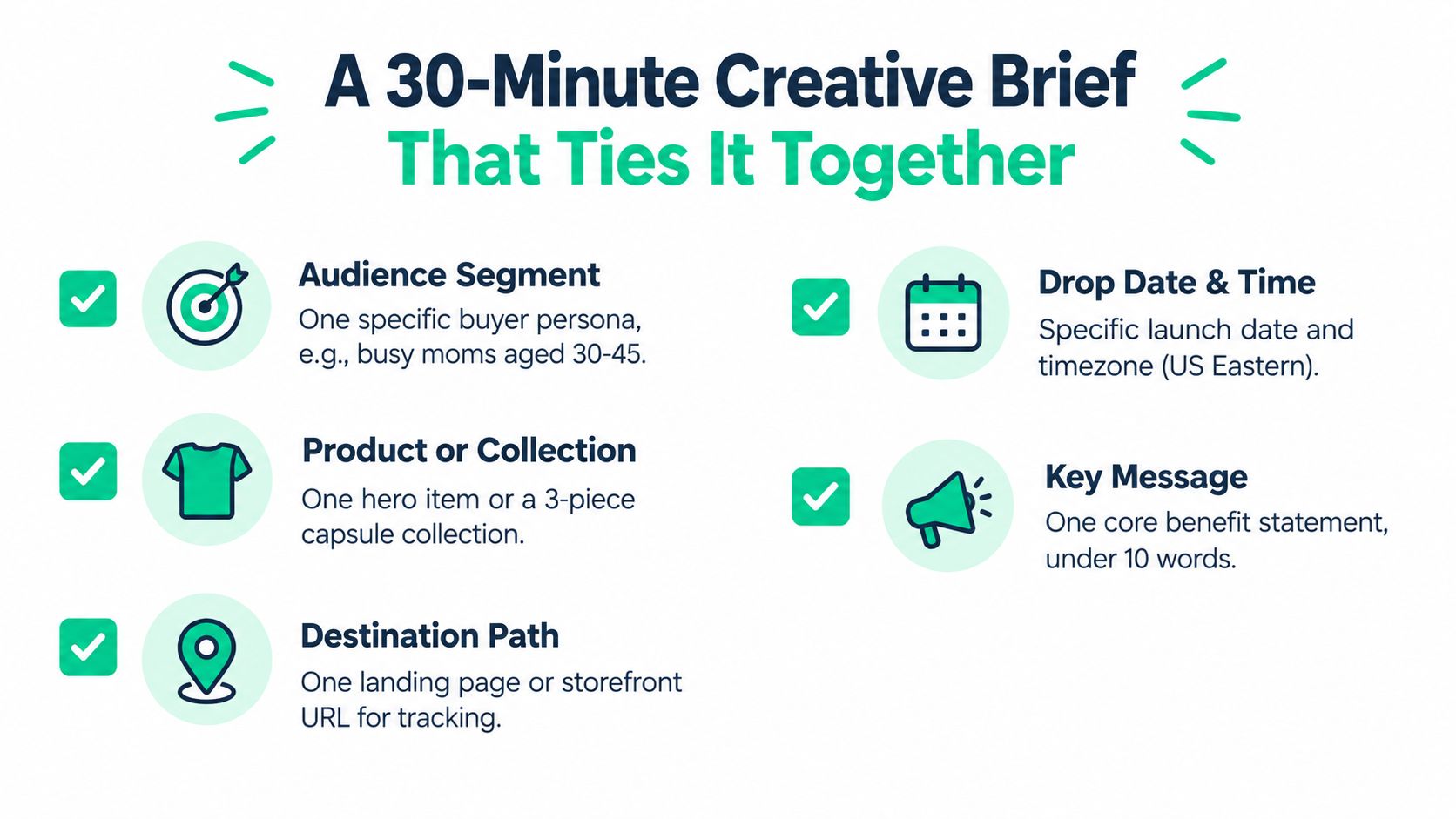
Fill this out before you publish
Audience: Name the specific group this Story addresses. “Fans” or “employees” is too broad to guide the creative. Identify the audience's likely question or motivation.
Offer: Choose one hero product or collection. Write the main benefit in plain language and include the product detail a buyer needs to understand what's being offered.
Destination: Choose the bio page, Story sticker, or native product tag using the decision rule above. Record the exact landing page and confirm it works on mobile.
Sequence: Note what each frame does: establish relevance, provide proof or context, present the offer, and prompt one action. Don't add a second CTA just because another team wants extra exposure.
Measurement: Pick the metric that reflects the campaign's goal, such as product purchases rather than raw clicks. Tag the launch Story and a reminder Story with consistent UTM parameters so you can separate their contribution.
Before scheduling, run a short release check:
- Mobile page: Confirm the page loads and the offer is visible without hunting.
- Primary action: Put the campaign's main destination first.
- Tracking: Test the tagged links and confirm analytics are recording.
- Backup creative: Prepare a reminder Story that reinforces the same offer without repeating the launch verbatim.
- Ownership: Assign someone to monitor the destination and respond if the link or checkout fails.
The time spent clarifying the route pays off when the team reviews results. Instead of debating whether the Story “got engagement,” you can identify which audience, offer, and destination produced the intended action.
Trust, Refresh Cadence, and What to Remove
A bio page should protect audience access, not become a crowded advertising directory. A 2025 creator survey reported that 78% of creators said algorithms affect what they create, while only 48% felt confident their Instagram followers would see their work, according to NetInfluencer's report on the creator survey. That makes the bio page a useful resilience layer, especially when it gives people a clear way to reach an owned channel such as email or a community.
Keep the destination credible
A shorter, more stable set of links is easier to trust and maintain. Put the priority destination first, keep useful evergreen options, and rotate the featured product when the campaign changes. Delete expired offers, generic affiliate collections, and redundant social links that send visitors in circles.
Review the page on a regular cadence and whenever a campaign ends. Check that product links still work, the featured offer is current, and commercial relationships are clearly labeled. A strong link hub doesn't need a new button for every post. It needs a few relevant routes that match what the audience expects to find.
Trust is operational: A polished Story loses credibility when its link leads to an expired offer or an unclear promotion.
Check the destination on mobile and across the markets where your audience shops. Verify that product availability, pricing, and shipping information make sense for those visitors. Keep an owned channel visible so a platform change doesn't leave the audience with no reliable way to hear from you.
FLYP LTD provides AI-native merchandise operations for creators and enterprise teams, including made-to-order merch storefronts, fulfillment, and native YouTube Shopping product tags. If you're planning a creator drop or an employee merch program, visit FLYP LTD to see how its merch workflow can connect the content to the storefront and handle production through delivery.