The most popular advice about merch design software is also the least useful for enterprise teams: choose a tool that makes attractive mockups quickly. That advice works for a solo creator testing an idea. It breaks down when a People team needs approved garments, regional inventory, controlled budgets, consistent branding, and dependable delivery across multiple markets.
A design that looks right on screen can still fail because the artwork uses the wrong canvas, sits outside a valid decoration area, lacks a transparent background, or reaches production before the right approver has reviewed it. The creative file is only the first handoff in a much longer chain.
For global programs, merch design software should function as an operating layer, not just a digital canvas. It should connect ideation with product curation, approvals, fulfillment, inventory, permissions, reporting, and brand governance. The best purchasing question isn't “How fast can this generate a shirt?” It's “Can this system prevent a good idea from becoming an expensive operational problem?”
Table of Contents
- Redefining Merch Design Software for Global Scale
- Core Technical Requirements and AI Constraints
- The Enterprise Evaluation Checklist
- Implementation Workflows and Hidden ROI Factors
- Real-World Merch Creation Workflows
- How FLYP Solves Common Enterprise Pain Points
- Next Steps for Scaling Your Merch Program
Redefining Merch Design Software for Global Scale
A merch platform that stops at the mockup stage leaves the hardest work to the team. Someone still has to confirm the blank, check the decoration area, route the design for approval, reconcile inventory, coordinate suppliers, allocate budgets, and answer employee questions when a shipment is delayed. The tool may have accelerated the visible part of the process while preserving every hidden bottleneck.
The category is expanding because software is increasingly being used to organize and optimize merchandise workflows, not merely draw graphics. The global e-merchandising software market was estimated at $1.51 billion in 2025 and projected to reach $1.67 billion in 2026, a 10.7% year-over-year increase, according to Research and Markets' merchandising systems market overview. The same source forecasts the market reaching $2.37 billion by 2030 at a 9.1% CAGR. Those figures describe a market proxy, not a precise measure of every apparel design tool, but they show why enterprise buyers should treat merch software as a growing operational category.
The real product is controlled execution
HR, People Ops, events, and brand teams usually don't need unlimited creative freedom. They need repeatable choices inside safe boundaries. A new-hire store might allow an employee to select a garment, size, and region while restricting logos, colors, placement, and approved product families. An event team may need a temporary collection with a fixed budget and an expiration date. A brand team may need final authority over every artwork variant.
That changes the buying criteria. A flexible canvas matters, but so do:
- Template governance: Lock approved logos, type treatments, placements, and product combinations.
- Workflow automation: Route designs to the right brand, procurement, or regional approver without relying on email.
- Inventory visibility: Show whether a selected blank is available in the destination market before an order is accepted.
- Permission controls: Separate creators, reviewers, budget owners, administrators, and vendors.
- Auditability: Preserve versions and approval history so teams know what was approved and when.
Practical rule: If a platform can't explain what happens after export, it isn't yet an enterprise merch system.
The history of the category supports this broader view. CAD entered textile and apparel workflows during the 1980s, and Lectra launched Modaris in 1984 as an early commercial pattern-making system. Pro/ENGINEER followed in 1988, helping popularize feature-based and parametric modeling in manufacturing software, as outlined in this history of digital merchandising platforms. Merch technology has moved from digitizing isolated design tasks toward connecting design with production logic. Enterprise teams should evaluate it on that trajectory.
Core Technical Requirements and AI Constraints
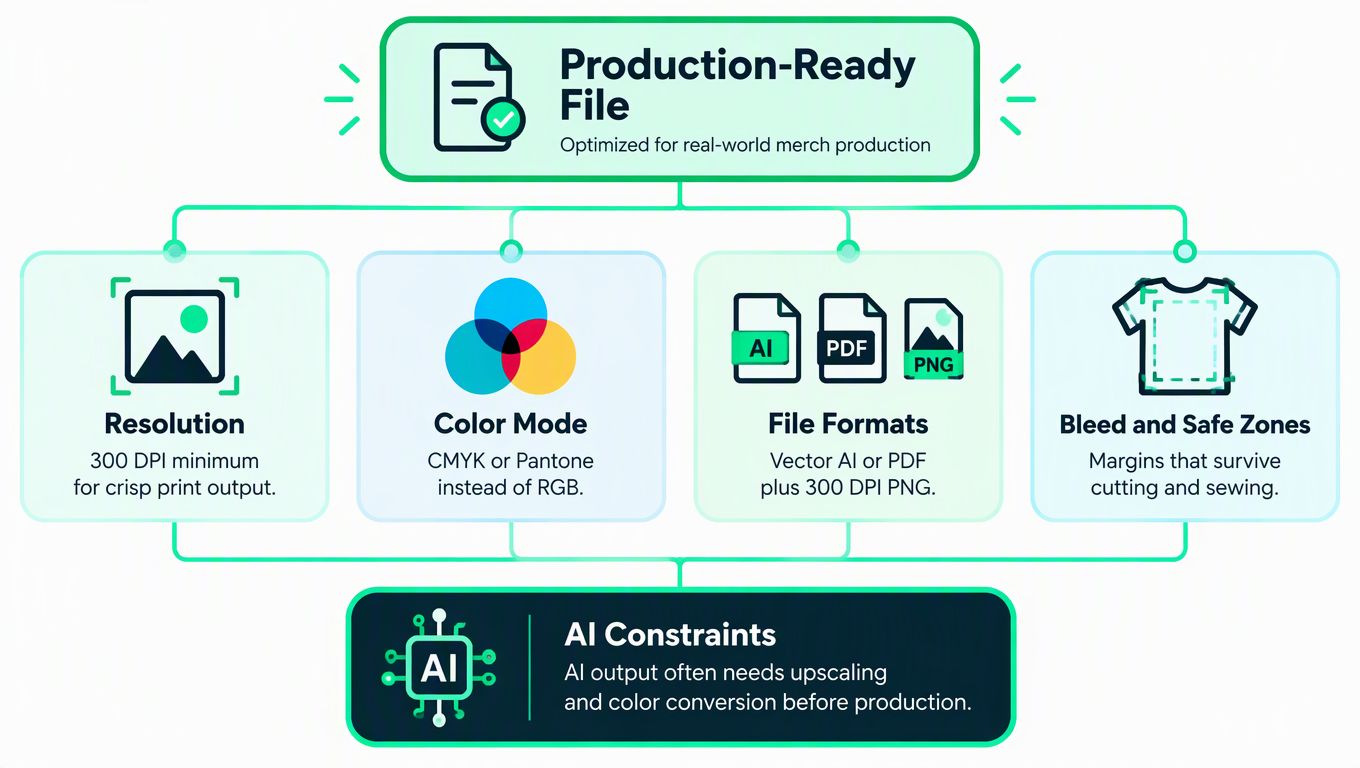
A beautiful mockup is not a production file. The difference appears when the artwork is enlarged, placed on a specific garment, converted for a print method, or reviewed by a supplier that follows strict file rules.
Print-on-demand design workflows commonly target at least 300 DPI, transparent backgrounds, and apparel canvases around 4500 × 5400 pixels, according to this print-on-demand design tools guide. These specifications protect edge sharpness and print alignment. A transparent background also prevents unwanted boxes, halos, and compositing artifacts when the artwork is applied to different garment colors.
What the export pipeline must control
Treat export settings as a quality gate, not a designer preference. At minimum, merch design software should let administrators define:
- Resolution rules: Reject files below the required raster resolution instead of allowing them into approval.
- Canvas standards: Apply product-specific dimensions rather than forcing every garment into one generic template.
- Transparency checks: Detect opaque backgrounds and unintended pixels before a proof is generated.
- Format options: Support the formats required by the decoration partner, including suitable raster and vector outputs.
- Placement boundaries: Keep artwork within the printable or embroidered area for each product.
Teams that publish on other commerce channels can also consult this Amazon image requirements guide when building a broader asset governance policy. The point isn't to copy marketplace rules into apparel production. It's to establish a single habit: every channel needs explicit technical acceptance criteria.
AI accelerates concepts, not accountability
AI generators are useful for turning a brief into visual directions, but a raw generation is rarely the same thing as an approved garment file. AI output may require cleanup, upscaling, transparency adjustments, color conversion, typography correction, and removal of artifacts. A practical AI design tool workflow can shorten ideation, but it doesn't remove the need for human review and product-aware validation.
The stronger systems map customer inputs and design rules into production-safe artwork. Independent comparisons describe personalization software as converting configurable options into edited artwork while enforcing placement constraints, so invalid positions are blocked before export. That approach reduces downstream prepress errors because the user can't create every technically impossible combination, as explained in this comparison of product personalization software.
AI must also understand the product, not just the prompt. A chest print, sleeve mark, embroidered cap, and back graphic require different boundaries and often different file preparation. If the software only produces a flat mockup, the production team inherits the risk.
The Enterprise Evaluation Checklist
A basic editor and an enterprise merch platform solve different problems. The editor optimizes individual creativity. The platform must coordinate many people, products, locations, suppliers, and decisions without losing control.
Start vendor evaluation with a real workflow, not a feature tour. Give each provider a representative brief, a restricted brand kit, several garment types, a regional fulfillment requirement, and a budget owner. Ask the vendor to show every handoff from prompt or artwork upload through approval, ordering, shipment, and reporting.
Compare the system behind the canvas
| Evaluation area | What to verify | Why it matters |
|---|---|---|
| Brand safety | Controlled templates, locked assets, approval routing | Prevents unauthorized marks and unapproved variants |
| Quality assurance | Print-accurate previews, proofs, and file validation | Catches placement and export problems before production |
| Operational reliability | Versioning, audit trails, and clear order states | Shows who changed or approved an asset |
| Integrations | DAM, PLM, e-commerce, HR, and vendor connections | Keeps product and employee data from fragmenting |
| Scalability | Support for large catalogs and distributed user groups | Avoids rebuilding the program as adoption grows |
| Cost transparency | Clear licensing, service, shipping, and production charges | Makes budgets defensible to finance |
The fulfillment layer deserves particular scrutiny. Market-facing product descriptions increasingly bundle design with warehouse, shipping, and store management, while some platforms emphasize real-time vendor connections and multi-supplier inventory syncing, as shown in FLYP's design studio overview. Buyers should ask whether those capabilities are native, integrated, or handled manually by an account team.
Ask failure questions, not only capability questions
Ask what happens when a regional blank goes out of stock, when an approver rejects one colorway, when two people edit the same design, or when an employee selects a product that can't ship to their country. The answer should include a visible state change, a defined owner, and a recovery path.
Also test governance. Can a regional team localize a collection without changing the master logo? Can procurement see committed spend before orders are placed? Can administrators revoke access without deleting design history? A vendor that can't demonstrate these controls may still be useful for small creative teams, but it shouldn't be evaluated as an enterprise operating system.
Implementation Workflows and Hidden ROI Factors
Implementation usually reveals that the software isn't the only problem. Many teams discover inconsistent naming, duplicate files, unclear ownership, informal approvals, and supplier data scattered across spreadsheets. Installing a new canvas won't resolve those issues. The rollout must define the operating model around it.
Begin with an inventory of the current journey:
- Brief intake: Record who requests merchandise, for what audience, in which market, and under which budget.
- Product selection: Identify approved blanks, decoration methods, sizing, color availability, and regional sourcing rules.
- Design creation: Generate or adapt artwork within product-specific constraints.
- Review: Assign brand, legal, procurement, and regional approvals where required.
- Order release: Confirm inventory, destination, cost center, and shipping eligibility.
- Measurement: Track orders, delivery status, utilization, returns, and recurring exceptions.
A structured design review process helps teams replace scattered email feedback with explicit decisions. Each approval should refer to a version, a product, a placement, and a market. “Looks good” is not sufficient if nobody can tell which file or garment it referred to.
Calculate ROI from avoided work
Finance teams often see only license cost and unit cost. The operational case includes the time spent reconciling inventory, preparing files, chasing approvals, correcting rejected artwork, answering order questions, and replacing items that were produced from the wrong version.
Build a baseline using internal records rather than borrowed industry benchmarks. Count review cycles, manual inventory updates, supplier escalations, failed proofs, shipping exceptions, and hours spent assembling reports. Then compare those measures during a controlled pilot.
Personalization controls can create value before an order is placed. When customer choices are mapped into production-safe artwork and invalid placements are blocked, the system moves quality assurance upstream. That doesn't guarantee flawless production, but it reduces the number of technically invalid combinations reaching prepress.
The strongest ROI story is not “AI makes designs faster.” It is “the workflow makes fewer avoidable mistakes and gives every exception an owner.”
Real-World Merch Creation Workflows
Consider a global onboarding collection for a company with distributed employees. The request begins as a brief: create a premium hoodie and tee using the approved identity, offer regional choices, and keep the experience simple for new hires.
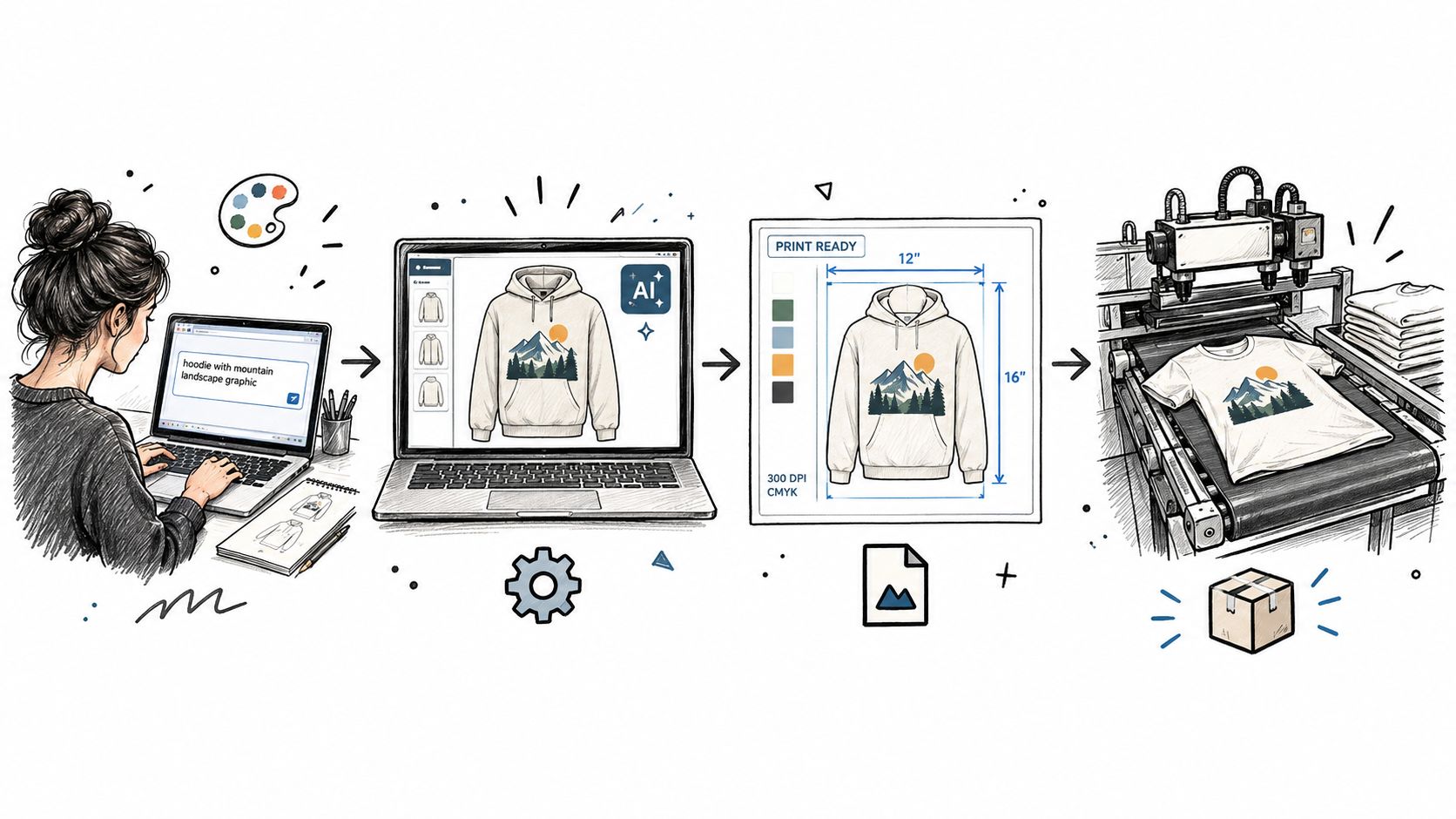
The team first supplies the brand brief, reference images, or a URL to the merch design software. AI can propose several visual directions, but the creative owner selects a direction that fits the identity and the intended garment. An AI fashion studio can be useful at this stage for exploring how a concept behaves across apparel forms, provided the team treats the result as a design aid rather than automatic production approval.
From concept to controlled product
The next step is product mapping. The chosen artwork is placed on approved hoodies and tees, with the system applying the correct decoration area for each blank. A front graphic that works on one cut may need a different scale or position on another. The platform should preserve those relationships rather than asking a coordinator to inspect every mockup manually.
The reviewer then checks the design against brand rules, file specifications, and the target market. If a region uses another supplier or blank, that variation needs its own proof and inventory record. The employee-facing store should expose only valid combinations, not the entire creative workspace.
A useful apparel mockup generator can make stakeholder review faster, but approval still needs a named decision-maker and a recorded version. The mockup supports judgment. It doesn't replace the production file, decoration specification, or fulfillment rules.
The final handoff connects the approved design to product records, regional inventory, budgets, and shipping. The employee chooses from the permitted collection, and the system captures the destination and cost allocation. After ordering, operations can monitor fulfillment and handle exceptions without asking the designer to reconstruct what was approved.
A short demonstration can help non-technical stakeholders understand where a visual concept ends and operational control begins:
The workflow works because each stage has a different owner. AI supports exploration, the brand team controls identity, operations validates supply and delivery, and the platform records the relationship between artwork, product, region, and order.
How FLYP Solves Common Enterprise Pain Points
Many tools improve ideation but leave enterprises to assemble the rest of the stack. That creates a familiar failure pattern: the design team produces attractive concepts, operations discovers that the selected blank isn't available, brand reviewers find inconsistent logo treatment, and People Ops spends its time resolving order exceptions.
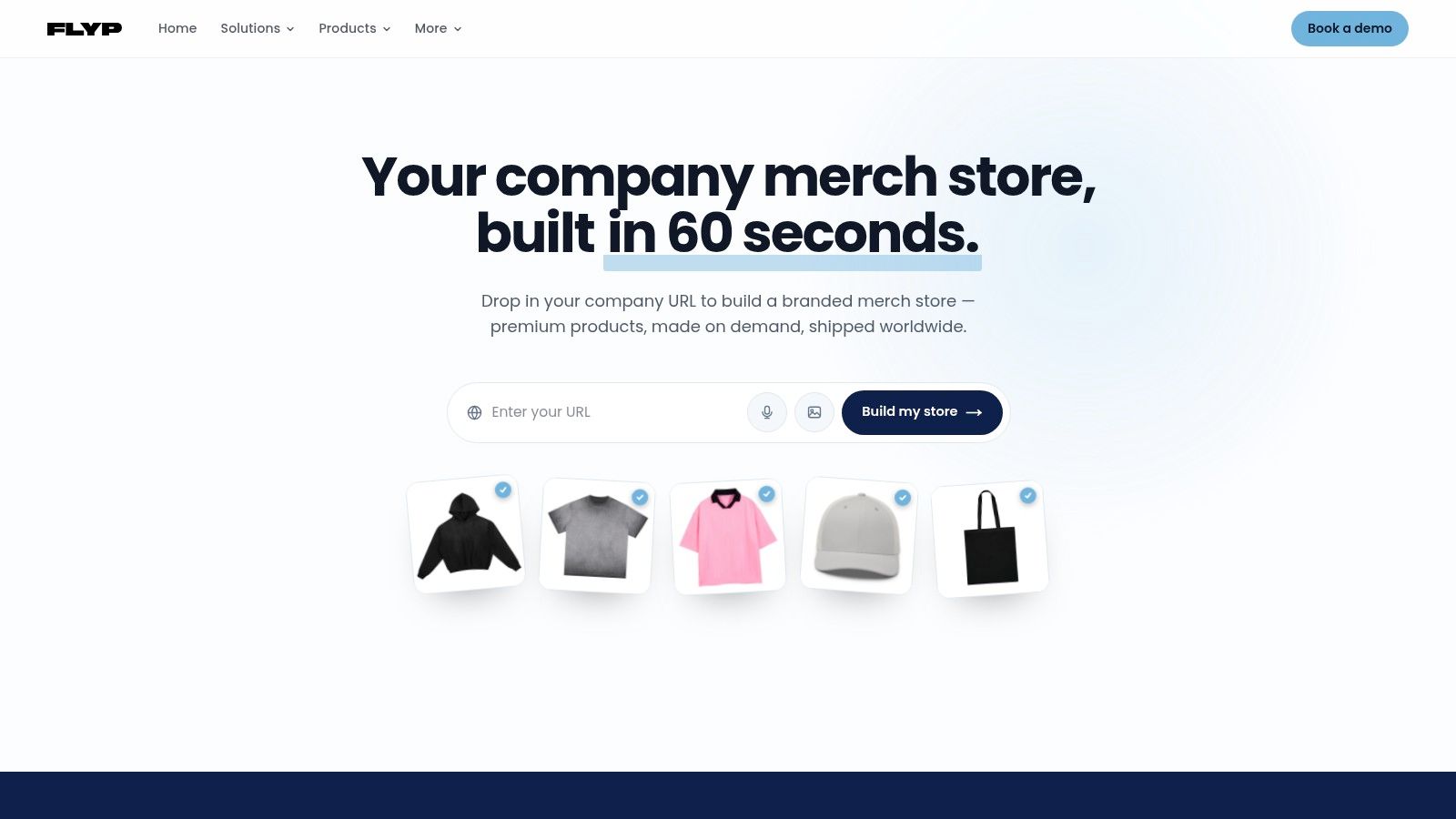
FLYP LTD takes a broader approach as an AI-native merch operating system and managed service. Its platform turns text prompts, URLs, videos, images, or briefs into on-brand, garment-accurate designs across 600+ premium blanks, according to the publisher information provided for this article. The important distinction is the connection between design generation and the operational work that follows.
Where the managed model fits
For enterprise teams, FLYP handles curation, quality assurance, logistics, budgeting, brand safety, and reporting as part of a managed global merch program. That model is relevant when the internal team wants control over the brief and approvals but doesn't want to become a warehouse, supplier coordination, and customer service department.
The use cases are practical:
- Onboarding kits: Present approved choices to new hires while coordinating destination-specific delivery.
- Recognition moments: Launch controlled collections without allowing every requester to alter core brand assets.
- Event drops: Prepare time-bound merchandise with defined inventory and budget boundaries.
- Employee-choice stores: Let employees select products while operations retains control over catalog and fulfillment rules.
Once designs are approved, the service manages manufacturing, fulfillment, international shipping, customer service, and returns. That doesn't eliminate the need for governance. The enterprise still needs a clear brand owner, budget policy, and escalation process. It does reduce the number of separate vendors and manual handoffs that the internal team must coordinate.
FLYP is one option to assess alongside design-first tools, print-on-demand platforms, and specialist merchandise agencies. The right choice depends on whether the main constraint is creative production, supplier access, employee experience, or end-to-end program management. For teams whose bottleneck sits after the mockup, a managed operating layer deserves more attention than another standalone editor.
Next Steps for Scaling Your Merch Program
Start with the failures, not the wish list. Review recent merch requests and identify where work stalled: unclear briefs, duplicate versions, rejected proofs, unavailable blanks, budget surprises, regional shipping issues, or unanswered employee tickets. Those patterns reveal whether you need a better design editor or a connected operating system.
Then create a controlled pilot around one repeatable use case, such as onboarding or an event collection. Define the approved brand assets, product range, regions, budget owner, approvers, file rules, and fulfillment responsibilities before inviting users into the system.
Use the pilot to test five things:
- Creative control: Can users generate useful concepts without bypassing brand rules?
- Production accuracy: Does the approved artwork map correctly to each product?
- Workflow clarity: Can every reviewer see the current version and decision state?
- Operational visibility: Can the team track inventory, orders, delivery, and exceptions?
- Financial accountability: Can finance reconcile committed and completed spend?
A serious evaluation should end with evidence from your own workflow, not a generic feature checklist. If the platform reduces manual coordination, prevents invalid exports, and gives People Ops a reliable fulfillment path, you've found value beyond graphic creation. If it only produces faster mockups, keep looking.
FLYP LTD provides AI-native merch design, product mockups, premium blank selection, and managed manufacturing and fulfillment for enterprise programs. If your team needs merch design software connected to brand safety, budgets, global shipping, and employee experiences, visit FLYP LTD to assess the platform for your next pilot.