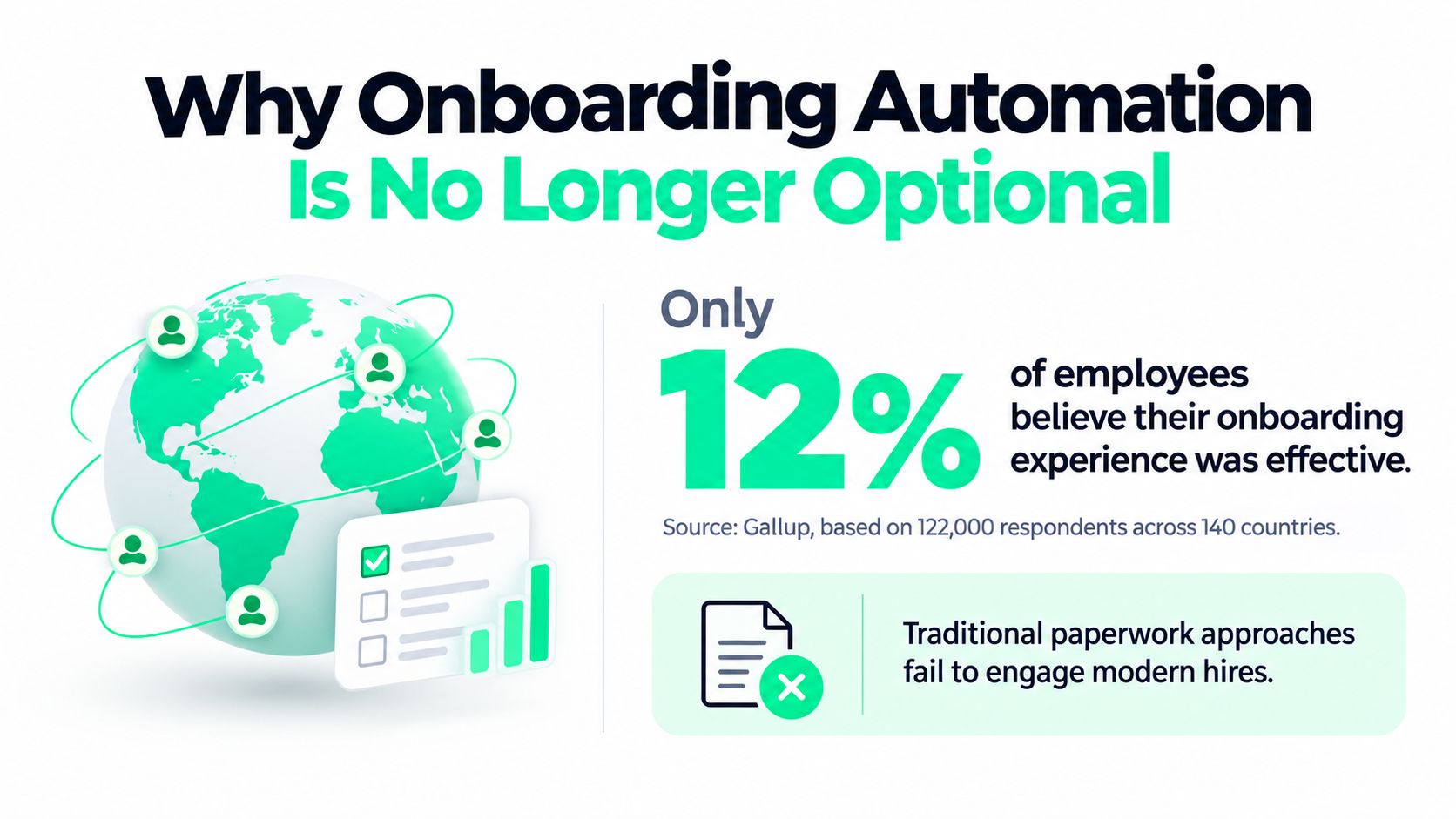
Only 12% of employees say their organization has a good onboarding process, based on Gallup-related research covering approximately 122,000 respondents across more than 140 countries. The benchmark summary makes the strategic problem clear: most organizations have digitized parts of onboarding without designing a coherent employee experience.
Employee onboarding automation can remove duplicated data entry, chase missing documents, provision access, and coordinate managers across regions. It can also create a faster, colder version of a broken process. If the workflow measures only completion, it may deliver a laptop, a policy pack, and a training queue while leaving the new hire unsure about their role, manager, or place in the team.
Table of Contents
- Why Onboarding Automation Is No Longer Optional
- Designing Event-Driven Onboarding Workflows
- Integrating HRIS, LMS, and Merch Fulfillment
- Measuring Success Beyond Completion Rates
- Avoiding the Speed-Experience Tradeoff Trap
- Running a Controlled Pilot to Validate Impact
Why Onboarding Automation Is No Longer Optional
About one-third of new hires may leave within their first 90 days in some organizations, while up to 20% of turnover can occur during the first 45 days. These figures come from different datasets and are not universal rates, but they point to a clear operating risk: early confusion becomes expensive before People Ops can see it. The available onboarding benchmark evidence provides wider context for evaluating those benchmarks.
Onboarding became a strategic operating concern once companies started measuring what happens after the paperwork is signed. A new employee needs equipment, system access, training, context, relationships, and clear expectations. Those needs cross People Ops, IT, payroll, security, facilities, learning teams, and the hiring manager. Email reminders and personal memory cannot reliably coordinate that many dependencies across locations and working patterns.
The business case is time to contribution
Structured onboarding changes how quickly a new hire can contribute. Research summarized by SHRM-based evidence indicates that employees in structured programs typically reach full competence in 4–6 months, compared with 8–12 months in less structured environments. Other widely cited benchmarks associate formal onboarding with roughly 50% higher new-hire productivity, although the relationship varies by role, program design, and measurement method. The evidence on onboarding competence and productivity describes an association, not a guaranteed causal result.
Automation supplies the operating discipline around that work. It can collect approved information, coordinate readiness checks, assign manager actions, and deliver role-specific guidance without asking People teams to rebuild every journey manually. The risk appears when teams optimize for speed alone. A completed checklist can hide a new hire who still does not know what success means, which decisions belong to them, or how the team works.
A useful onboarding automation program measures whether people are ready to contribute, not just whether tasks were marked complete. Track indicators such as:
- Role clarity: Ask whether employees understand their priorities, decision rights, and near-term expectations.
- Belonging: Check whether they know who to approach, how the team collaborates, and where they fit.
- Readiness: Confirm that required tools, information, and training support the work they are expected to do.
- Manager follow-through: Monitor completed check-ins and the quality of early feedback, not only assigned tasks.
- Early retention: Review patterns in withdrawals and exits alongside role, manager, location, and work arrangement.
The human work remains. Managers must explain how decisions get made, introduce colleagues, discuss priorities, and give feedback. Automation should protect time for those conversations, not replace them with a faster stream of notifications.
Distributed organizations also need different schedules, locations, and employment conditions reflected in the experience. Teams supporting deskless populations can consult HR onboarding for shift workers when planning communications and access around variable working patterns.
Practical rule: Automate coordination people regularly forget. Keep the conversations that create clarity and belonging with people.
Designing Event-Driven Onboarding Workflows
A static checklist assumes that every hire follows the same path and that each owner completes their task on time. That assumption fails as soon as a start date changes, a manager goes offline, a background check needs review, or a regional requirement differs from the standard process.
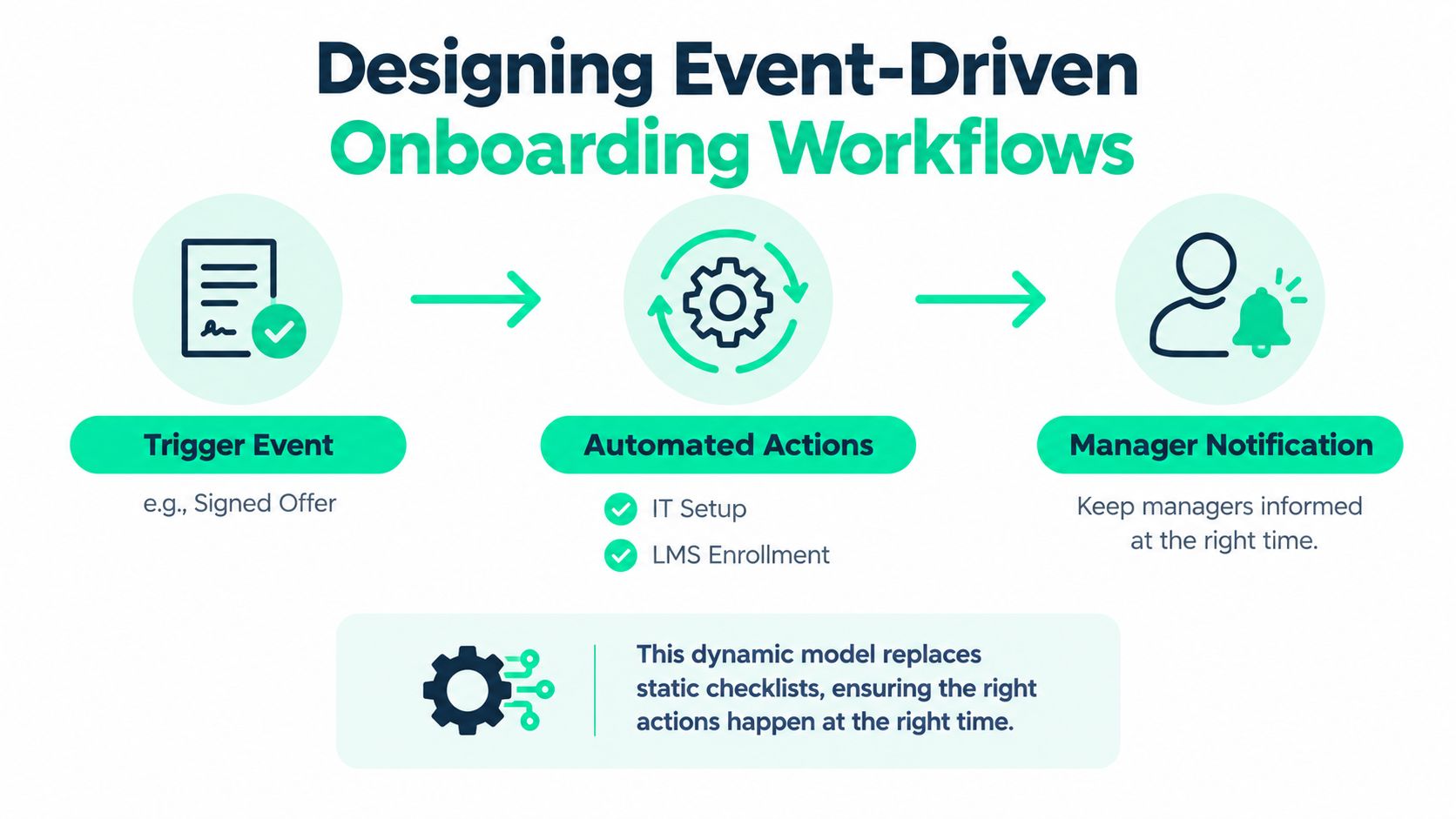
Event-driven employee onboarding automation starts with a business event and evaluates what should happen next. The event might be an accepted offer, a cleared candidate, a new employee record in the HRIS, or a changed start date. Each event updates the workflow state and triggers only the actions that apply to that employee.
Start with one source of truth
The HRIS or ATS should hold the authoritative employee record for the relevant stage of the journey. A sound design begins with that record, triggers identity verification and compliance-document collection after offer acceptance, and routes approved data to payroll, benefits, identity management, device provisioning, and learning systems through APIs or controlled integrations. The systematic review of onboarding practices supports treating onboarding as a structured process rather than a one-time orientation.
Before configuring a workflow, define which system owns each field. Job title, manager, location, employment type, start date, and access requirements should have clear ownership. If the same field can be edited independently in several systems, automation may distribute conflicting information faster than a manual process would.
Map every step using five questions:
- What event starts the action? For example, an accepted offer or approved employee record.
- What condition determines the route? Role, location, employment type, department, or manager.
- Who owns the outcome? Name a team or accountable role, not a generic shared inbox.
- What proves completion? A created account isn't the same as verified access.
- What happens when the action fails? Pause dependencies, create an exception, and notify the right owner.
Build dependencies, not just tasks
A new hire shouldn't receive a generic list of everything that might happen during onboarding. The workflow should release information in a useful sequence. After the employee record is approved, it might request identity verification and compliance documents. Once the required checks are complete, it can initiate account creation, equipment fulfillment, and role-specific learning assignments.
Explicit due dates and escalation timers protect the process from silent failure. If a manager hasn't completed a required review, the workflow should remind them, then escalate according to a documented rule. If an integration returns incomplete data, the workflow should move the case to an exception queue rather than mark the task complete.
Include three often-missed stages:
- Preboarding: Give the employee a clear starting path without flooding them with every policy at once.
- Day 1 validation: Confirm access, equipment, and essential information instead of assuming provisioning succeeded.
- 30, 60, and 90-day check-ins: Prompt managers to discuss progress, role clarity, support needs, and practical work.
The best event-driven designs behave like controlled state machines. They know what has happened, what can happen next, what must wait, and who needs to intervene. That structure is more resilient than a checklist because it responds to the employee's actual status.
For a complementary view of the employee journey, teams can also consult this guide to the digital employee onboarding process. The important principle is to document the operating model before connecting tools. Integrating a confusing process only makes confusion move more quickly.
Here's the practical test: take one common hire and one difficult exception. If the system can't explain where each case is, what it's waiting for, and who owns the next decision, it isn't ready for scale.
The workflow also needs audit logs, field validation, least-privilege permissions, reconciliation checks, and a rollback process. High-risk matters such as work authorization exceptions, accessibility accommodations, unusual compensation, and international tax residency should stop the automated path and require human review.
A short explainer can help stakeholders understand the event-driven model before implementation:
Integrating HRIS, LMS, and Merch Fulfillment
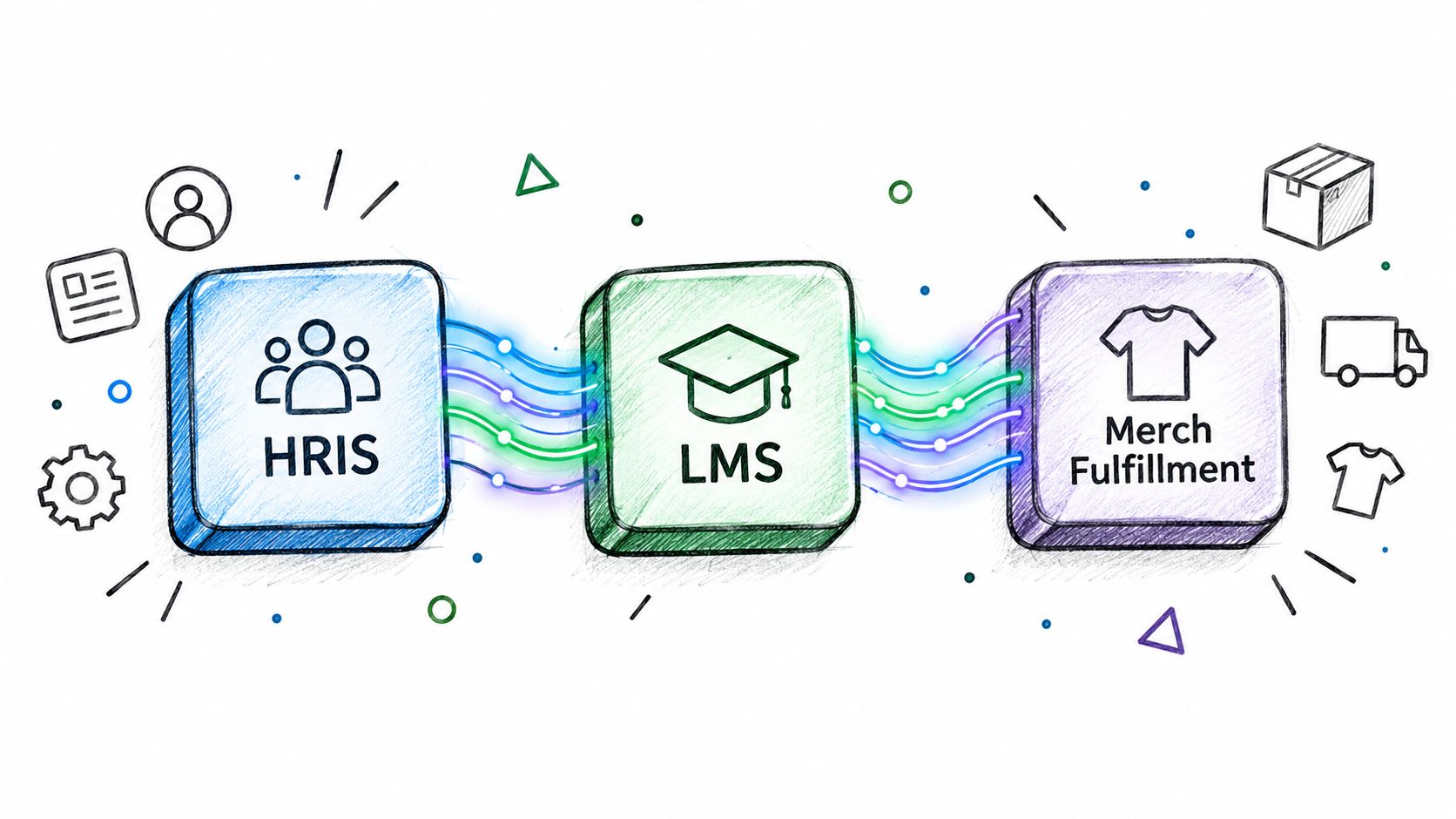
Integration is where employee onboarding automation either becomes operationally useful or reveals that every department has been maintaining a different version of the employee record. The HRIS may know the employee's start date and location, the LMS may use a separate role taxonomy, and a fulfillment provider may need shipping details that People Ops never collected.
The answer isn't to connect every application immediately. Start by mapping the information required at each handoff and deciding which system owns it.
Use the HRIS as the operational heartbeat
The HRIS should provide the employee attributes that determine the onboarding route. That usually includes role, department, manager, employment type, location, and start date. An event from the HRIS can then trigger downstream actions, but each action needs a verifiable result.
For example, a role and location combination might determine:
- Identity groups: Which applications and permissions the employee requires.
- Learning assignments: Which compliance and role-specific courses appear in the LMS.
- Equipment logistics: What device, accessories, or delivery instructions apply.
- Communication rules: Which messages, working hours, and local policies the employee receives.
- Merchandise eligibility: Which kit tier, size collection flow, and shipping route apply.
Avoid copying all employee data into every system. Send only what the receiving application needs, and restrict access based on the task. A device supplier may need a name and delivery address, but shouldn't receive sensitive information unrelated to fulfillment.
Connect learning to the role
An LMS integration is useful only when it does more than assign a universal curriculum. Role, seniority, location, and demonstrated competence should influence what the employee sees. A new manager may need coaching and people-process content, while a technical hire may need environment access, security training, and practical work relevant to their team.
The manager remains responsible for turning learning into performance. The workflow can assign training, remind the manager about follow-up, and record completion, but it can't tell whether the employee can apply the skill in a real situation. Build a handoff from course completion to a practical conversation or work sample.
Treat fulfillment as part of the experience
Physical onboarding materials can reinforce belonging when they arrive at the right time and reflect the employee's preferences and location. They can also create frustration when a shirt doesn't fit, a package can't clear customs, or the delivery arrives after the employee's first week.
A connected merch fulfillment process should support:
- Employee self-service: Let new hires provide sizes and verify shipping addresses through an approved flow.
- Country-aware logistics: Apply regional delivery rules, local inventory decisions, and appropriate fulfillment routes.
- Eligibility controls: Use approved kit tiers, budgets, and employment rules rather than allowing unrestricted orders.
- Status visibility: Give People Ops a delivery status and an exception path when an address or shipment fails.
- Brand governance: Route designs and product choices through approval before production.
The trigger can originate in the HRIS, but the fulfillment system should return a status that the onboarding workflow can understand. “Order requested” isn't the same as “delivered,” and a completed order shouldn't conceal a failed address validation.
A welcome kit can support belonging, but it can't compensate for unclear expectations or missing access.
A BambooHR-based stack may need a custom integration layer rather than a generic connector. Teams assessing that architecture can review the BambooHR integration overview while checking which fields, events, and status updates are genuinely available.
Keep judgment in the workflow
Automation should stop when the case involves risk, sensitivity, or a decision that depends on context. Human review is appropriate for work authorization exceptions, accessibility accommodations, unusual compensation, international tax residency, adverse screening outcomes, and high-risk access requests.
The exception record should show the employee context, completed actions, missing decision, deadline, and downstream dependencies. That gives the reviewer enough information to act without restarting the entire onboarding journey.
The same guardrail applies to AI-generated answers. An assistant may retrieve an approved policy or explain a task, but it shouldn't improvise legal guidance, promise an accommodation, or make a sensitive employment decision. A reliable integration does more than move data. It defines where automation stops and accountability begins.
Measuring Success Beyond Completion Rates
A completed form proves that an employee submitted information. It does not prove they can do the work, understand their role, know where to get help, or feel part of the team. People Ops teams need measurement that connects process efficiency with readiness, role clarity, belonging, and early-tenure outcomes.
Set a baseline before changing the workflow. Use medians when a small number of long delays could distort the average, then segment results by cohort, location, role, employment type, and other relevant groups. A global average can conceal a provisioning failure in one country, a manager handoff problem in one region, or a learning gap in one job family.
Track readiness and effort together
A practical measurement set includes:
| Metric | What it reveals |
|---|---|
| Median paperwork completion time | Whether employees can finish required administration without repeated chasing |
| Access available by Day 1 | Whether provisioning works before the employee needs the tools |
| Task completion by owner | Where managers, HR, IT, or other teams create bottlenecks |
| Time to first productive contribution | Whether the employee can apply role knowledge in meaningful work |
| 30-day and 90-day retention by cohort | Whether early experience differs across locations, roles, or worker types |
| Manager satisfaction | Whether leaders feel prepared to support the new hire |
| New-hire experience feedback | Whether employees understand what to do, where to go, and who can help |
Review these measures together. Faster paperwork paired with weaker role clarity is a regression. A higher completion rate alongside more access errors may mean the workflow closes tasks before verifying the outcome. Speed can also hide a belonging problem if every employee receives the same sequence without a meaningful manager connection or team context.
Industry benchmarks can provide context, but your pilot cohort is the evidence that should guide decisions. Compare measured time to first contribution with the relevant external benchmark, then treat a persistent gap as a workflow defect to investigate. The cause may be unclear expectations, missing access, poorly timed learning, or an absent manager handoff, rather than a hiring problem.
Diagnose the experience, not just the pipeline
Add short questions at deliberate points in the workflow. Ask whether the employee knows what success looks like, has the access needed for current work, knows who to contact, and has received useful guidance from their manager. Ask managers whether the plan reflects the actual role, not only whether they completed their checklist.
Segment every key metric. If one region has lower Day 1 access, examine its integration, local approval, or fulfillment route. If contractors finish administration but report weak role clarity, review the content and manager handoff before changing the automation engine. If employees report low belonging despite fast completion, add team introductions, context about how work connects, and a clear human point of contact.
A KPI dashboard approach for People teams can turn these measures into an operating review rather than a monthly reporting exercise. Show exceptions, failed integrations, overdue manager actions, contribution milestones, and employee feedback alongside completion data. Assign an owner to each recurring failure and record whether the next workflow change improves the employee outcome.
Measure the moment the employee becomes capable of contributing, not the moment the system marks a task green.
Avoiding the Speed-Experience Tradeoff Trap
The most dangerous onboarding automation failure is a successful transaction that produces a poor first impression. Teams celebrate shorter cycle times, more completed forms, and fewer HR tickets, while new hires receive generic training, badly timed reminders, and no explanation of how their work connects to the team.
Recent survey evidence puts the problem plainly: 52% of recently hired US employees say onboarding focuses too much on administration instead of role training, and only 30% say AI used in onboarding is helpful. The cited workforce trends report also identifies pressure to perform before training is complete, insufficient follow-up after initial training, and a lack of personalized learning options as barriers to skill development.
The lesson isn't that automation has failed. It's that many teams automate what's easiest to count.
Design for role clarity
Every automated message should answer a practical question. What does this employee need to know now? What action should they take? Why does it matter to their role? Who can help if the instruction doesn't fit their situation?
A generic “complete your onboarding” reminder is weak. A useful message might direct a new analyst to the data environment, explain the first deliverable, identify the manager responsible for review, and link to the approved learning module that supports the work.
Build learning paths around the employee's context:
- Role: Assign content and practical tasks that match the work the employee will perform.
- Seniority: Avoid giving experienced hires an introductory curriculum that signals the organization hasn't understood their background.
- Location: Include local policies, working arrangements, and support channels without burying global expectations.
- Manager capability: Give managers prompts, examples, and follow-up reminders when they need more structure.
- Demonstrated competence: Allow the workflow to adapt when an employee can show they already understand a topic.
Automation can schedule manager check-ins, but the manager should use those conversations to clarify priorities and surface confusion. A training completion event should prompt a discussion about application, not end the learning journey.
Engineer belonging deliberately
Belonging doesn't emerge from a welcome email. It comes from timely introductions, useful context, visible support, and signals that the organization prepared for the person's arrival. Those moments can be coordinated automatically, but someone must own their quality.
Schedule introductions based on actual collaboration rather than sending a large directory. Provide the team with a short explanation of the new hire's remit and invite a specific connection. Give the new employee a way to ask questions without searching multiple systems.
AI needs the same discipline. If only 30% of new hires in the cited survey found AI used in onboarding helpful, adding a chatbot to a weak process won't solve the underlying problem. The assistant should use approved content, show the source of an instruction where appropriate, know the employee's onboarding state, and hand sensitive or uncertain issues to a person.
A faster onboarding journey is valuable only when the employee arrives at clarity sooner.
The right question is not “How many steps did we automate?” Ask whether employees have the access, confidence, relationships, and role understanding needed to contribute. If automation improves administrative speed while reducing those outcomes, redesign the workflow rather than celebrating the dashboard.
Running a Controlled Pilot to Validate Impact
Global rollout should follow evidence, not enthusiasm. Compare the current manual process with an automated pilot using the same job families and locations, then measure effort and experience side by side.
The available benchmark evidence reports approximately 10.4 administrative hours per hire for manual onboarding. A vendor-published comparison reports document collection falling from 2.1 hours to 0.2 hours and system-access provisioning from 1.4 hours to 0.1 hours in automated flows. Treat these figures as directional because the source doesn't provide a full methodology. The published onboarding automation comparison is useful for framing a baseline, not for promising a universal result.
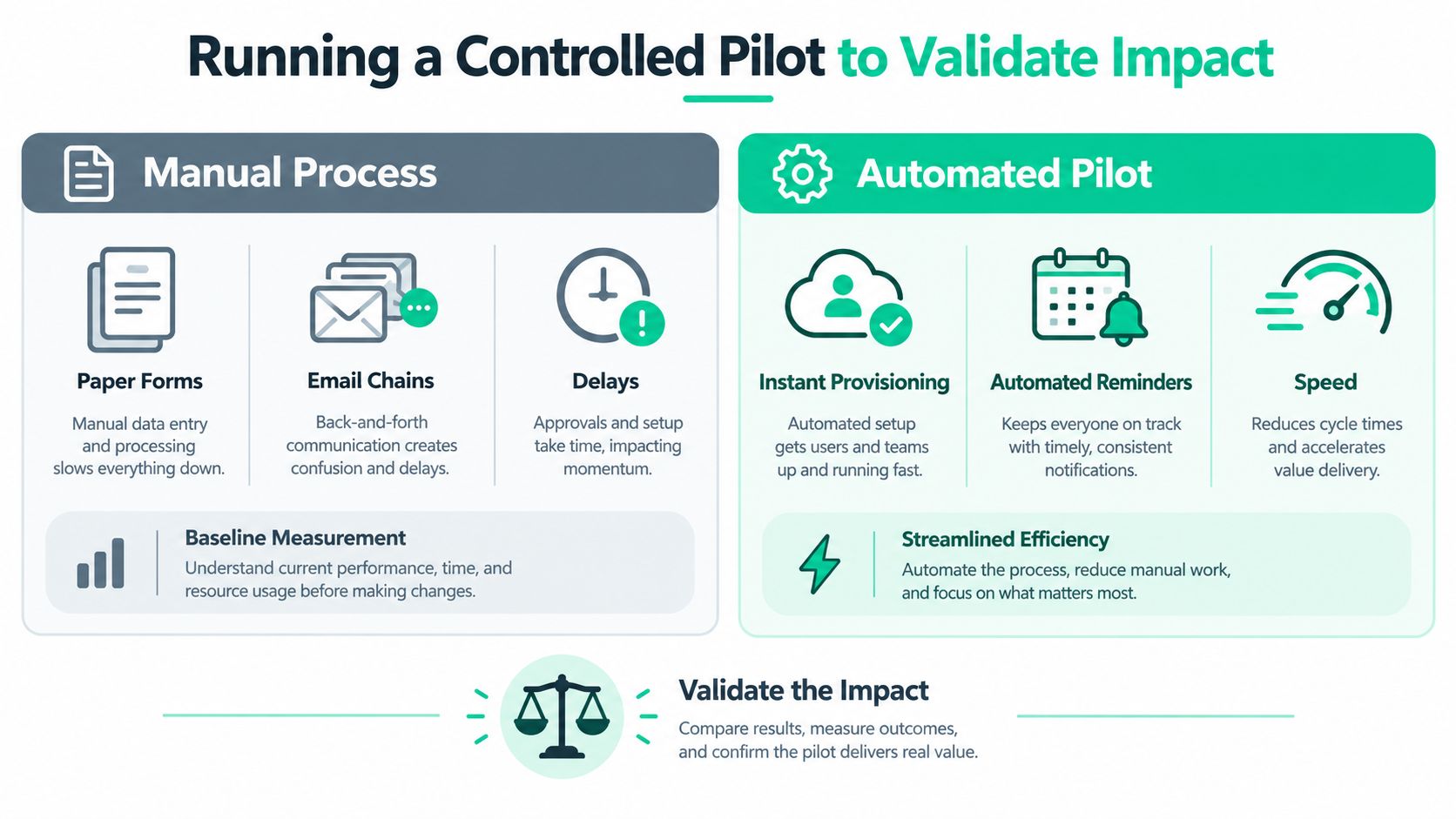
Run the pilot over 2–4 weeks, using a defined cohort and identical measurement rules. Capture administrative hours, elapsed time from acceptance to complete access, pre-Day 1 paperwork, first-week completion, manager readiness, new-hire clarity, error rates, and early retention signals.
Automate only repeatable work first, such as self-service forms, document reminders, equipment requests, account provisioning, training assignments, and scheduled check-ins. Keep a human exception path for incomplete data, accessibility needs, unusual employment conditions, failed integrations, and any decision requiring judgment.
A successful pilot reduces administrative effort without weakening clarity, manager participation, compliance quality, or the employee's sense of welcome. Once the workflow passes that test, expand by location or job family, review exceptions, and repeat the measurement cycle.
FLYP LTD provides enterprise teams with managed onboarding kits, employee-choice flows, country-aware fulfillment, shipping coordination, and reporting that can connect to employee events in HRIS platforms. Visit FLYP LTD to assess whether its merch operating system fits your onboarding and recognition workflows.