Linktree holds roughly 79.95% of a 31 million-user link-in-bio market, so most creators are choosing from a narrow set of options even as the category moves beyond simple link lists. The practical answer is simple: use Linktree for speed and convenience, choose another bio-link tool for stronger control, or skip the category and send traffic to a merch-powered storefront when revenue is the priority.
The phrase link in bio vs Linktree sounds like a feature comparison, but that framing is already dated. A bio link can be a temporary directory, a branded conversion page, an email capture point, a product catalog, or a storefront that turns social attention into sales. Those are different jobs, and they shouldn't all be handled by the same kind of page.
I've tested enough link-in-bio tools to know that prettier buttons rarely solve the underlying problem. The right choice depends on who owns the destination, what happens after the click, and whether your traffic produces measurable revenue.
Table of Contents
- Why This Comparison Matters Right Now
- What a Link-in-Bio Page Really Is
- Linktree Features, Pricing, and Hidden Costs
- How Generic Link in Bio Tools Compare
- The Hidden Risks of Third-Party Bio-Link Pages
- When to Choose Each Option
- Making the Decision with Confidence
Why This Comparison Matters Right Now
Linktree's position is hard to ignore. Recent market coverage puts it at roughly 79.95% of a 31 million-user link-in-bio market, while 62 companies compete in the category, according to recent coverage of link-in-bio market trends. That combination creates a misleading sense of inevitability. A large audience uses Linktree, so new creators assume it must be the safest strategic choice.
It isn't always.
The original promise was convenience. Put multiple destinations behind one URL, add that URL to Instagram or TikTok, and let visitors choose what to open. That still works for a casual account, a short campaign, or a creator who needs a page online immediately. But businesses and serious creators now need more than a list of buttons. They need lead capture, useful analytics, product discovery, ownership, and a clear path to purchase.
Practical rule: Choose the destination based on the action you want visitors to take, not on the number of links you want to display.
The category is shifting toward creator suites with AI page generation, native commerce, privacy-first analytics, and handle unification, as the same market coverage explains. That changes the comparison entirely. You're no longer deciding only between Linktree and a collection of similar pages. You're deciding between a lightweight redirect page and a broader conversion stack.
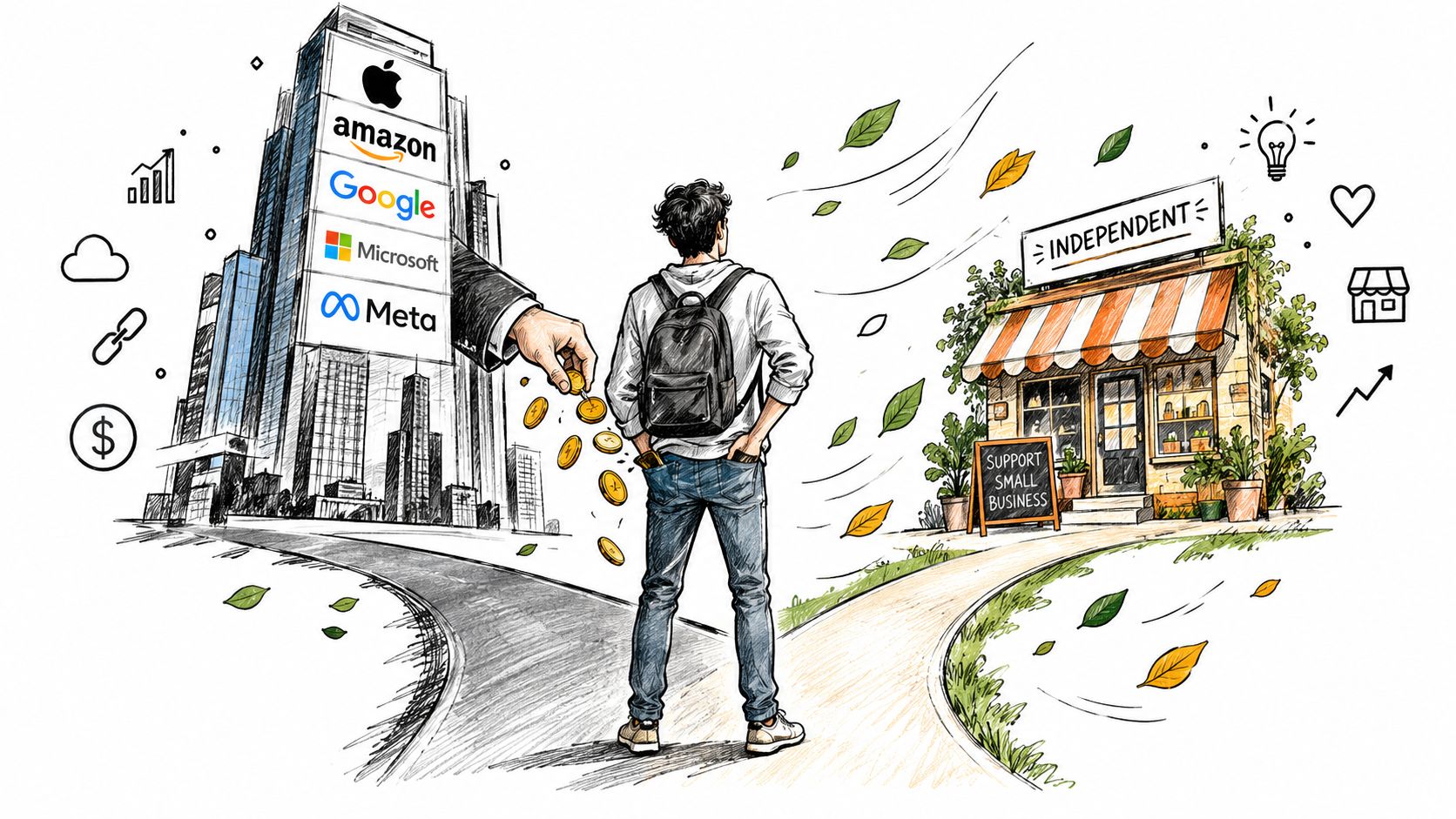
A creator selling a single digital product may need a checkout and an email capture form. A musician may need streaming links. A consultant may need a booking flow. A merch-driven channel needs a product grid, branded presentation, fulfillment, and revenue tracking. Calling all of these “link in bio” use cases hides the decision that matters most: what should your social traffic become once it leaves the platform?
What a Link-in-Bio Page Really Is
A link-in-bio page is a landing page connected to the single profile URL available on a social account. It places several destinations, including a website, newsletter, shop, booking page, video channel, or campaign, behind one mobile-friendly address.
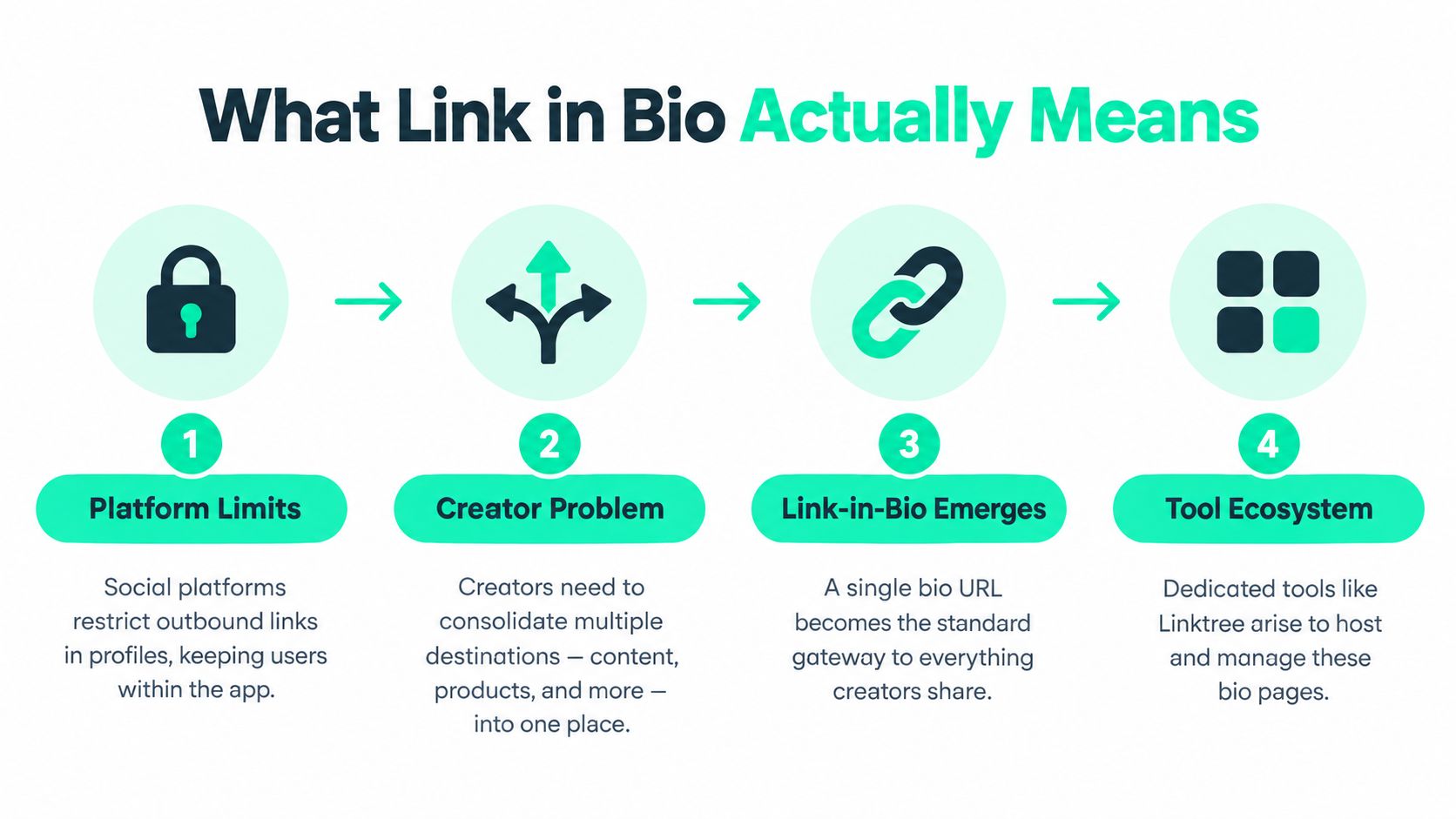
The format grew after social platforms restricted outbound links in profiles. Creators needed one gateway for multiple destinations, so the category developed around a simple routing job. Linktree is one company and product within that category, not a synonym for every possible implementation.
Linktree was founded in 2016 in Melbourne, Australia. Its growth shows how quickly the category expanded once creators faced the same distribution constraint. The company reached 1 million users by December 2018, 3 million by the end of 2019, and more than 8 million by October 2020. By March 2021, it had nearly 16 million users, representing about 300% growth over the prior year, according to Linktree's company history.
That history explains Linktree's appeal. It made a frustrating profile limitation easy to manage, and its familiar interface helped establish the category. Creator businesses now need more than a list of buttons, with commerce, audience capture, analytics, and workflows increasingly built into the page.
For a practical explanation of using an Instagram bio link, start with the basic profile setup. The more important distinction is the URL format and the business model behind it. You can use a third-party page as a directory, send the bio directly to a website you control, or choose a storefront built around a specific revenue stream.
A generic page solves the routing problem. The sharper question is whether it moves your audience toward the result you want. A merch-powered storefront may serve that goal better by turning social clicks into product discovery and purchases, rather than sending visitors through another list of links.
Linktree Features, Pricing, and Hidden Costs
Linktree's free plan handles the basic publishing task. An independent Linktree feature review lists unlimited links, basic themes, QR codes, video embeds, and lifetime click totals. That setup suits creators who need several destinations online without technical help or developer support.
The business case changes once the page needs stronger control. Scheduling, deeper analytics, broader theme selection, and custom domains sit behind paid access. A custom domain requires Linktree's paid Pro plan, according to independent comparisons of Linktree and competing tools. The page can remain free to publish while the functions that support branding, measurement, and campaign management add cost.
The larger hidden cost is transaction revenue. The independent review reports a 12% fee on the free plan and a 9% fee on the Starter plan. A creator selling through Linktree may therefore pay a subscription and a percentage of each transaction. Check the current plan terms before launching a store, because these conditions can change.
What the free plan is good for
Choose the free plan for a public directory of destinations, a personal profile, an event page, or a short campaign. It gets multiple links live quickly and avoids an upfront software commitment.
It is a poor fit for a page that must function as an owned brand property. Platform branding, limited presentation controls, restricted analytics depth, and no custom domain can make the destination feel rented. That matters when social traffic is already reaching a product page, signup form, or store that you control.
Where Linktree stops being enough
Linktree becomes harder to justify when every click has commercial value. Visitors may need to select a product, join an email list, or complete checkout. A generic directory inserts another decision layer between the social post and the outcome.
Independent testing places Linktree in a 1-to-2-second load-time range, while some competing tools land under 1 second. On a conversion-focused page, that difference deserves attention, particularly when visitors arrive from mobile social apps. The more links, embeds, tracking elements, and branded components you add, the less the page resembles a direct route to revenue.
That leaves two practical choices. Use Linktree when speed of setup and a familiar interface matter more than ownership and transaction costs. Choose a merch-powered storefront when the bio link should present products and drive purchases directly. A link directory organizes attention. A storefront gives that attention a clearer commercial destination.
How Generic Link in Bio Tools Compare
Linktree created the category, but it does not own the features serious creators need. Competing tools may provide native custom domains, mobile apps, analytics, and commerce features at lower price points, while Linktree places custom domains on its paid Pro plan. The familiar choice is not automatically the most flexible one.
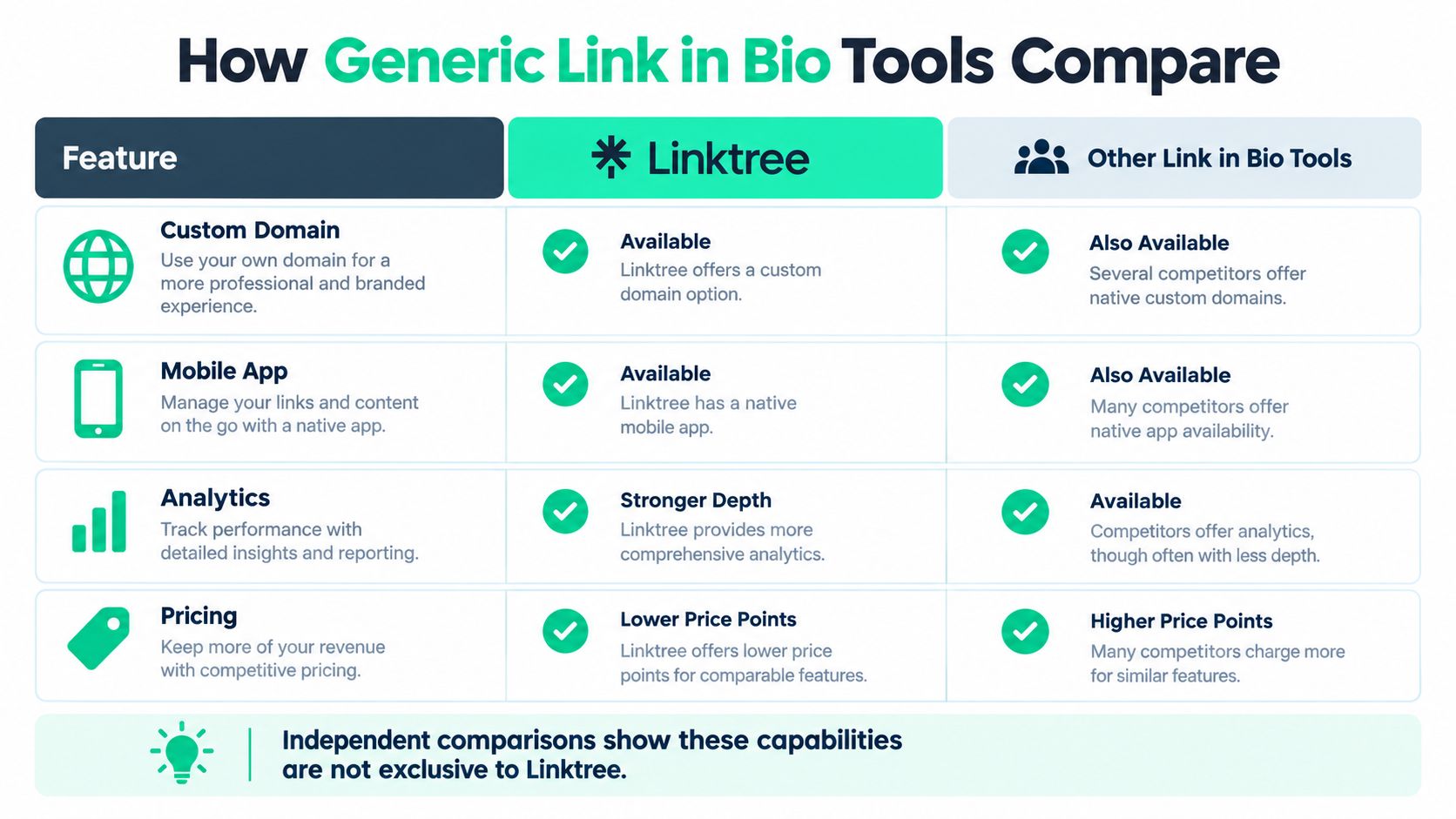
| Tool | Custom Domain | Load Time | Price |
|---|---|---|---|
| Linktree | Paid Pro plan required | Typically 1 to 2 seconds | Free and paid tiers |
| Competing tools | Several offer native support | Some land under 1 second | Some expose comparable features at lower price points |
Use the table as a starting point, not a final verdict. Plan terms change, and no single tool wins every comparison. The practical conclusion is clear: custom domains, apps, analytics, and commerce are not exclusive to Linktree.
Compare the workflow, not the logo
Evaluate the page against the work it must perform:
- Can you use your own domain? A branded URL reduces dependence on the platform name and gives you a destination you can carry elsewhere.
- Can you understand the click? Basic totals show activity. Stronger analytics connect visits with meaningful actions.
- Can you update from your phone? Mobile apps matter when creators publish and promote from the same device.
- Can the page sell? A link list sends visitors elsewhere. A commerce-enabled page shortens the path between attention and purchase.
For a broader category review, explore these link-in-bio tools and related guides. Compare the minimum system your business needs, not an oversized feature list.
The category is becoming a creator suite
Market coverage describes a shift toward AI-generated pages, native commerce, privacy-first analytics, and unified handles. Those additions make a basic link list less useful for creators who publish often or sell directly to their audience.
Choose a routing tool when routing is the job. Choose a merch-powered storefront when the bio link should turn attention into revenue. A fast, attractive page still falls short if it cannot support sales, capture demand, or give visitors a clear next action. If your goal is only to collect links, use the simplest suitable tool. If your goal is a business destination, step outside the category and compare the full buying workflow.
The Hidden Risks of Third-Party Bio-Link Pages
The central risk isn't that a third-party page will look slightly less distinctive. It's that your most important social destination may sit on infrastructure you don't control.
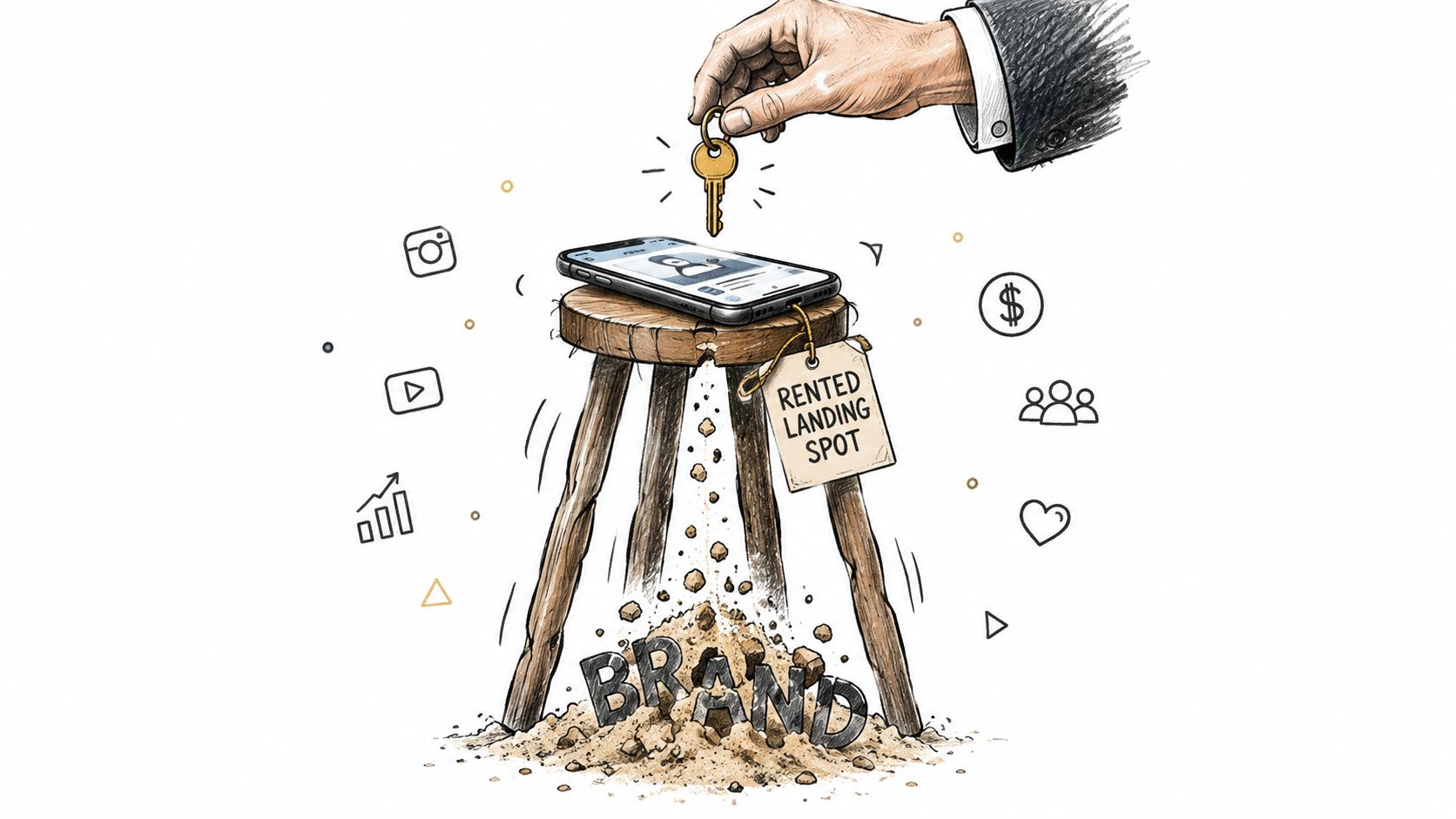
A platform can change its pricing, branding rules, analytics access, block types, transaction terms, or acceptable-use policies. You may still own your social account, but the page visitors reach after clicking your profile belongs to someone else's product environment. That distinction matters when the URL becomes the default gateway to your business.
Ownership changes the economics
A third-party page may limit branding on its free plan or restrict the block types you can use. It may also keep important data inside its dashboard, which makes it harder to build a durable customer relationship outside the platform.
That doesn't make third-party tools useless. It makes them tactical. Use one when you need speed, but don't confuse a rented landing spot with an owned audience asset.
Your bio link should support your business model, not become the business model's permanent gatekeeper.
Lead capture deserves particular attention. A click count tells you that someone visited. It doesn't necessarily give you permission to contact that person again, explain what they wanted, or connect the visit to a product relationship. Businesses should decide where subscriber data, purchase records, and customer history live before they send every profile visitor through a third-party page.
Trust and governance are now part of the choice
Recent guidance highlights growing pressure around spam, phishing, and content adjacency on link-in-bio platforms, alongside creator concerns about ownership, lead capture, and revenue tracking, as discussed in this guide to link-in-bio platform alternatives. A visitor may not distinguish your brand from the surrounding platform experience. If unrelated links, platform branding, or unfamiliar redirects weaken trust, your conversion path suffers.
Creators who sell templates, courses, or other digital products should also think beyond the page itself. Resources such as turning expertise into digital products with AmaJova can help frame the larger question: where should expertise become an owned offer, rather than another outbound link in a crowded list?
For a personal account, these risks may be acceptable. For a company, membership business, or merch brand, they deserve a deliberate decision.
When to Choose Each Option
There are three sensible paths. Pick one based on the job your bio link must perform.
Choose Linktree for speed
Linktree is the right choice when you need a zero-setup page for a casual account, short campaign, or temporary launch. You can publish a functional destination quickly, add unlimited links on the free plan, and avoid building a separate page.
Use it when:
- The page is temporary. A campaign or event page doesn't need a permanent information architecture.
- Your audience needs several destinations. Linktree handles the basic routing task cleanly.
- You don't sell directly through the page. If visitors only need your latest video, podcast, or website, the free experience may be enough.
- You value familiarity over control. Most users understand the interaction immediately.
Don't choose it by default for a business that needs a custom domain, deeper analytics, or a controlled customer journey. The moment transaction fees, brand presentation, or owned data become central, evaluate the upgrade before you publish.
Choose another bio-link tool for control
A competing tool makes more sense when you want native custom domains, faster performance, mobile management, stronger analytics, or more commerce flexibility without building a full website. Independent comparisons identify these as areas where several alternatives can compete effectively.
This route suits a creator who has outgrown a basic list but isn't ready to manage a full storefront. Check the actual plan terms, test the mobile experience, and verify whether analytics connect to the actions you care about.
Choose a merch-powered storefront for revenue
A merch-powered destination is the better fit when your audience already responds to your identity, designs, jokes, community, or visual language. Instead of asking visitors to choose among several outbound links, you can present a branded product destination designed around purchase.
FLYP's creator link-in-bio approach is relevant for creators who want AI-generated merch drops, a branded storefront, zero-inventory production, and fulfillment handled after designs are approved. FLYP LTD supports designs across 600+ premium blanks and manages manufacturing, shipping, customer service, and returns, according to the publisher information provided for this comparison.
That path won't replace every link. It changes the priority. The bio URL becomes a revenue destination first, with supporting links arranged around it.
Making the Decision with Confidence
Stop comparing tools as if the only question were which one has the nicest buttons. Evaluate the destination across three dimensions: ownership, conversion potential, and platform risk.
Ownership asks who controls the URL, brand experience, audience data, and customer relationship. Conversion asks whether the page leads visitors toward one clear action or scatters attention across a menu. Platform risk asks what happens if pricing, fees, branding, policies, or available features change.
Use this decision checklist
Start with the primary action. Decide whether visitors should subscribe, book, watch, shop, or buy merch. If you can't name the action, your page will become a link dump.
Separate temporary needs from permanent infrastructure. Linktree is reasonable for a fast campaign. A branded domain or owned site is more appropriate for a durable business destination.
Calculate the actual cost. Include subscriptions, transaction fees, platform branding, lost data, and the cost of sending buyers through extra steps. A free plan can be expensive when it weakens your commercial path.
Test the mobile journey. Open the page from the social app, tap the primary button, and complete the action yourself. Check whether the page feels immediate, trustworthy, and focused.
Match analytics to decisions. You need more than click totals if you're optimizing sales or audience growth. Confirm that the platform can show which destination produces the result you care about.
Plan for portability. Keep your audience records, product information, creative assets, and core brand identity in systems you can access independently of the bio-link provider.
Red flags that justify a switch
Switch when your page has become a crowded directory, when platform branding weakens trust, or when you can't connect clicks to revenue. Switch when a custom domain becomes important, when page speed affects a conversion-sensitive campaign, or when the free plan's restrictions force you to hide the offer that matters most.
A merch-powered storefront deserves serious consideration when your audience responds to products, not just content. It gives the bio link a clear commercial purpose and can reduce the distance between social attention and a purchase.
My recommendation is direct. Use Linktree when convenience is the product. Use a specialized alternative when control is the product. Use an owned or merch-powered destination when the audience itself is the asset. Make the move based on the next business outcome, not on Linktree's market recognition.
FLYP LTD offers creators AI-generated merch drops, branded link-in-bio storefronts, zero-inventory production, and managed fulfillment from manufacturing through returns. If your social traffic should lead to products rather than another list of links, visit FLYP LTD and evaluate the storefront model for your channel.