Your next hire starts on Monday. IT thinks the manager ordered the laptop, the manager thinks People Ops sent the agenda, and the welcome kit is waiting for an address nobody has confirmed. You have a checklist, but you're still chasing people.
A useful new hire onboarding process template fixes the handoffs, not just the paperwork. Build it as a dated schedule with named owners, completion evidence and escalation rules, then give the employee a simpler view showing what happens next and who can help.
Table of Contents
- The Onboarding Template at a Glance
- How to Build Your Onboarding Checklist
- Coordinating Swag and New-Hire Kits
- Sample Messages and Success Metrics
- Adapting the Template for Remote and Global Hires
- Confirm Your Owners and Launch the Pilot
The Onboarding Template at a Glance
Many teams stop their formal process too early. In a 2018 survey of large employers in North America, approximately 77% of onboarding programs lasted three months or less, while 38% lasted one week or less, according to SHRM's report on onboarding duration, which also cited performance data placing the ideal ramp-up period at 12 to 15 months.
That doesn't mean scheduling orientation sessions for an entire year. It means keeping responsibility for role integration, feedback and development after the administrative tasks are complete. A provisioned account proves someone can log in, not that they understand what good work looks like.
A first-year schedule you can copy
Use these timings as your starting schedule, then replace relative deadlines with actual dates for each hire.
| Phase | Timing | Key milestones | Owner |
|---|---|---|---|
| Preboarding | 2-3 weeks before start | Payroll, identity, equipment, account access and agenda sent | People Ops with IT |
| Day one | Start date | Role expectations, team introductions, tool access and first priorities | Hiring manager |
| First week | Days 2-5 | Buddy meetings, required compliance training and first supervised task | Buddy and manager |
| First 30 days | Days 6-30 | Role training, stakeholder introductions and weekly check-ins | Manager |
| Days 31-90 | Months 2-3 | 60- and 90-day reviews, development plan and early feedback survey | Manager with People Ops |
| Months 4-12 | Months 4-12 | Continued development, confidence check and retention review | People Ops and manager |
The owner column identifies the accountable function. Your live tracker needs an actual person's name, plus a backup for leave or absence. Where a row names two functions, split the work into separate tasks so neither can assume the other completed it.
Keep administrative readiness, role readiness and connection separate. Payroll can be complete while stakeholder introductions remain unbooked. A manager can deliver training while leaving the employee unsure how to ask for help.
Practical rule: A phase isn't complete because its date has passed. It's complete when the owner can show that its milestones happened.
Give People Ops an end-to-end view, but don't make them responsible for delivering every task. The hiring manager must define early work, IT must verify access, and the buddy must have time available for questions.
Copy the table into your HRIS, project tracker or shared spreadsheet. Mark every phase without a named owner as a gap to resolve before the next hire starts.
How to Build Your Onboarding Checklist
Start with the workflow you run, including the messages people send manually. A polished handbook won't help if payroll still depends on someone remembering to forward an email.
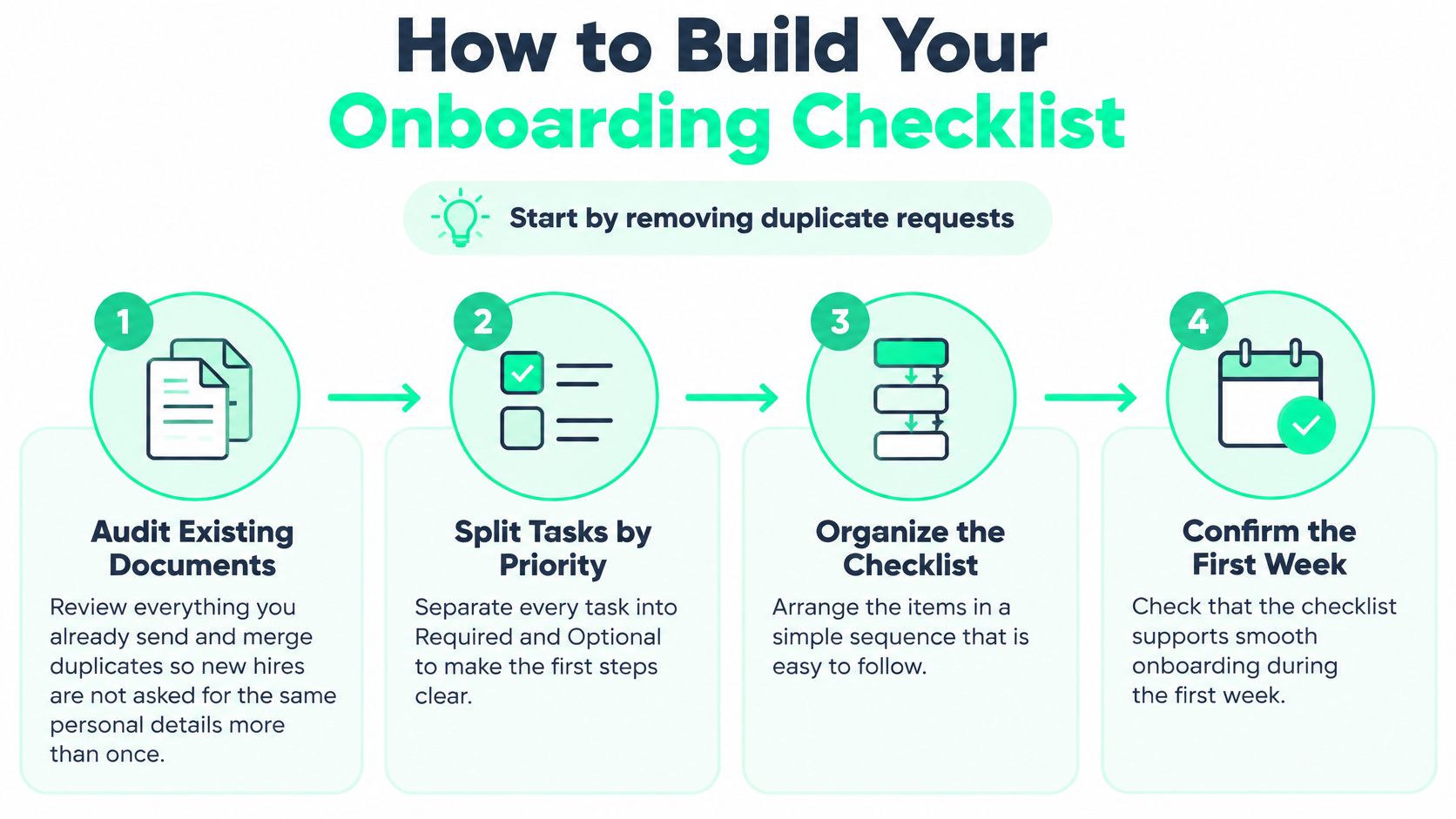
Use this visual as the first pass through your existing materials.
Turn the task list into a workflow
Audit what you already send. Collect offer-stage emails, forms, policy attachments and departmental checklists, then merge duplicate requests. Keep sensitive employee information in the approved system rather than copying it into a general onboarding tracker.
Separate required from optional. Required tasks should have a reason, such as enabling payroll, securing access or preparing the employee for assigned work. Move background reading and optional introductions out of the critical path so they don't compete with essential setup.
Define ownership and proof. Give every task one accountable person, one deadline and one completion artifact. For email setup, include a task to create branded employee signatures using SigFinch, with a sent test email as evidence rather than an unchecked instruction to configure email.
Choose reliable triggers. Use the hire-record event to begin preboarding and the start date to launch day-one tasks, distinguishing both from the date someone entered the record. We integrate with major HRIS providers for onboarding-triggered kits, but your team still needs to test changed start dates and cancelled hires.
Reserve buddy capacity at the offer stage. Name a buddy before the offer is accepted, then confirm their availability once the start date is agreed. 56% of new hires preferred a mentor or buddy during onboarding in the 2024 findings summarized by G2's employee onboarding research, so treat this as assigned work rather than informal goodwill.
Book the reviews on day one. Put the 30-, 60- and 90-day reviews in both calendars, with an agenda covering goals, blockers and support. Calendar holds make the manager's commitment visible before delivery work fills the available time.
Write the escalation rule. Specify who receives an alert when payroll, equipment or manager tasks become overdue, and what decision they must make. A reminder to the original owner isn't an escalation unless another person can resolve the blockage.
Minimum fields for the tracker
| Task | Owner | Due | Completion evidence |
|---|---|---|---|
| Merge duplicate onboarding documents | People Ops | Before the first hire | One source of truth |
| Tag each task as required or optional | People Ops | Before the first hire | Tagged task list |
| Assign one owner, due date and evidence per task | Phase owner | Before preboarding | Signed form or provisioned account |
| Trigger preboarding from the hire date in HRIS | People Ops | Hire date | Automated reminder sent |
| Assign a buddy before the offer is accepted | Hiring manager | Offer stage | Buddy named in offer record |
| Book 30-, 60- and 90-day reviews | Manager | Day one | Calendar invites accepted |
| Set escalation for late payroll, equipment or manager tasks | People Ops | Before launch | Named alert contact |
Keep program setup separate from employee onboarding. After you choose a starting program, such as onboarding, recognition, stores or events, we map a 30-day rollout. Run the checklist with a real hire before expanding it, and record where somebody had to intervene manually.
Coordinating Swag and New-Hire Kits
Our standard welcome kit costs $85-$140 per employee; the executive welcome kit costs $180-$320. Choose between them based on the program's purpose and approved budget, not on last-minute requests from individual managers.
The standard option covers a practical welcome. The executive option adds premium materials and a more formal leadership message. A self-service store solves a different problem: giving employees choice without asking People Ops to handle every item request.
Match the format to the moment
| Kit tier | Price per employee | What is included | Best for |
|---|---|---|---|
| Standard welcome kit | $85-$140 | Hoodie or premium tee, bottle, notebook and letterpress welcome card | Most new hires |
| Executive welcome kit | $180-$320 | Heavyweight hoodie, engraved leather notebook, wireless accessory, premium bottle and embossed CEO letter | Senior and leadership hires |
| Self-service swag store | Company-set credit allowance | Curated catalog where employees spend their credit | Everyday requests and anniversaries |
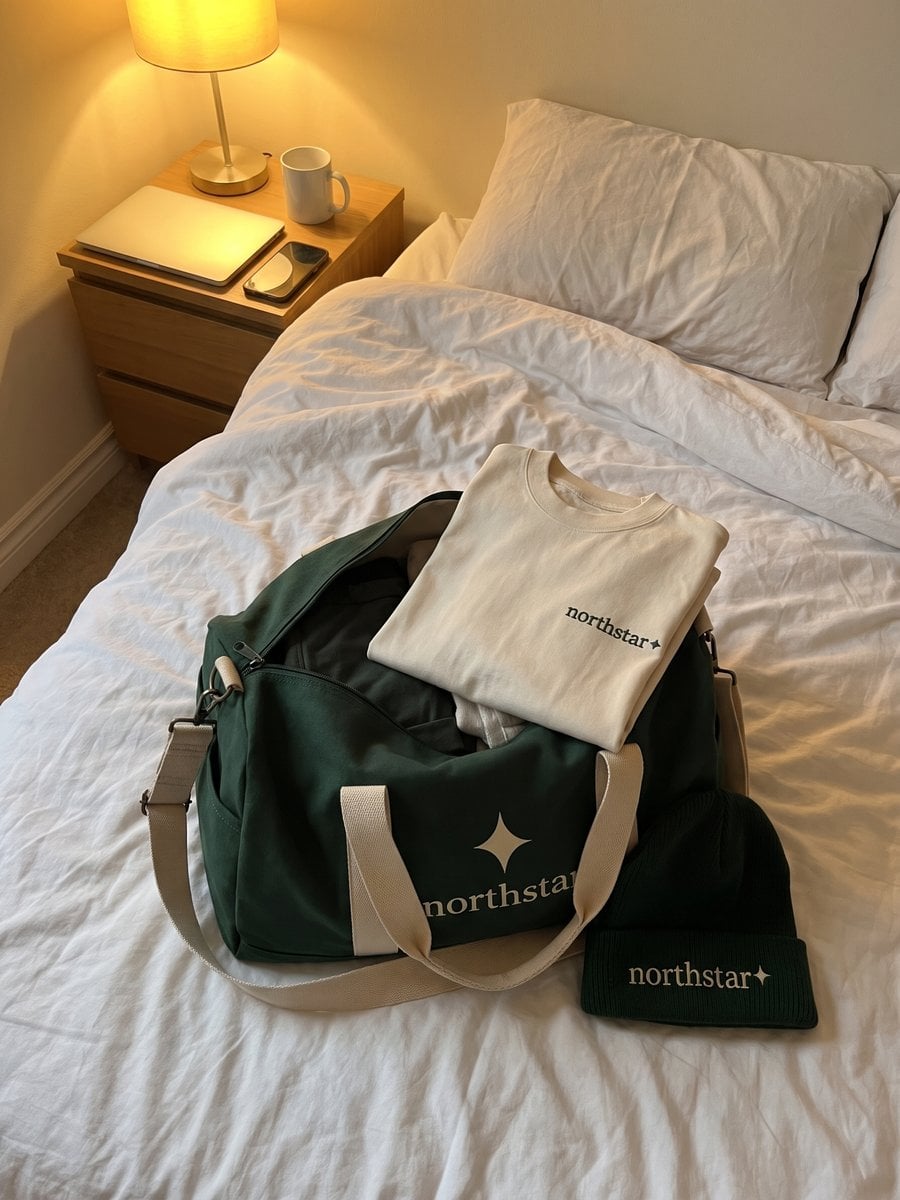
Our four-piece New-hire welcome kit comprises a premium tee, branded notebook, matte water bottle and welcome card. The standard package also offers the hoodie-or-tee configuration shown above and ships directly to the employee's home before day one.
Use the employee onboarding kit guide to decide what belongs in the package before requesting artwork approval. Separate useful items from optional additions: every extra choice creates another sizing, stocking or approval decision.
Set the delivery target a few days before the start date, then work backward from the destination-specific shipping estimate to approve designs and confirm address data during preboarding.
Give the shipment its own milestones
A kit task should not just say ordered. Track artwork approval, size selection, address confirmation, dispatch, and delivery separately, with a person responsible for exceptions. Don't place home addresses in a broadly shared hiring spreadsheet.
A welcome gift should arrive with a clear message. It shouldn't become another administrative problem for the new hire to solve.
For example, if a hire hasn't supplied a size by the shipping cutoff, the owner needs an agreed response: contact the employee, use an approved non-sized alternative, or move the gift to a later welcome moment. Don't guess their size or promise an arrival date before checking the route.
A hybrid program is the practical default: direct-send kits for welcome, anniversary and executive gifting, with a self-service store for everyday requests. Employees can choose fit, size and style from a company-curated catalog, while People Ops retains control over allowances.
Finish the setup by putting a shipping cutoff date against each hiring cohort. The manager's welcome note should remain scheduled even if the parcel is delayed.
Sample Messages and Success Metrics
New employees receive an average of 13 onboarding documents and spend about 12 hours reviewing them in the first week, according to the independent survey reported by Adobe Acrobat's onboarding study. The same survey found 63% faced repeated requests for personal information and 56% received written policies that were never explained verbally.
The difference between an information dump and a usable process is visible in what the employee has to work through.
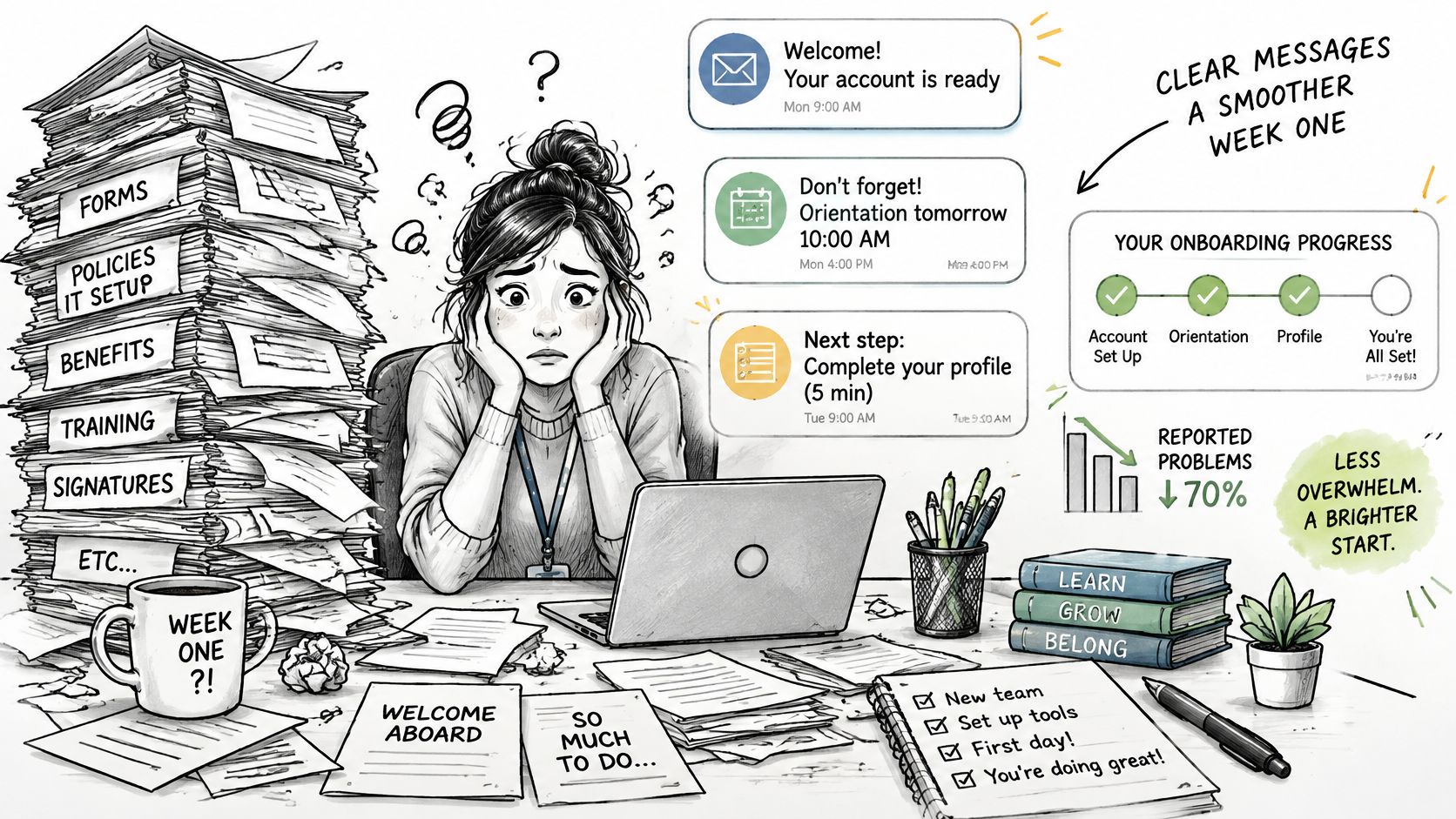
Send a coordinated message at each stage, pointing to a single onboarding home page rather than attaching competing versions. Give every policy a canonical owner and revision date, and have managers discuss expectations instead of treating an upload as an explanation.
Messages you can adapt
The wording below uses illustrative scheduling details. Replace the bracketed fields with confirmed dates, local times and names before scheduling each message.
Preboarding email, ten days before the start
Hi [First name], we're looking forward to welcoming you on [start date] at [local start time]. Bring the identification specified on your onboarding page; laptop pickup is at [location and time], with [IT contact] available to help. Your page lists the three pre-start tasks: confirm your personal details, complete the required forms and verify your equipment arrangements. Please complete the pre-start checklist by [date].
Day-one note from the manager
Hi [First name], welcome to the team. Your onboarding page has this week's schedule, including our role-planning meeting and your first supervised task. [Buddy name] is your buddy for everyday questions, and I'm your contact for priorities and feedback. Please open today's agenda before our welcome meeting.
Week-one People Ops check-in
Hi [First name], can you access your email, core systems and required training, and is your equipment working? The support section on your onboarding page lists the right contacts if anything's blocked. Please reply with anything that still isn't working, or confirm you're all set.
Day-30 message
Hi [First name], we'd like to understand how clear your priorities feel and where you need more support. Your onboarding page contains a short confidence survey and the proposed date for your 60-day review. Please submit the check-in form, including your availability for that review.
Keep each message's deadline when localizing it, adjusting the actual date and time rather than removing the commitment. For another checklist comparison, use the practical onboarding checklists from Acheloa Wellness to check whether your messages leave any practical questions unanswered.
Use the video as an optional discussion resource, not another mandatory viewing task.
Measure outcomes alongside completion
A 2007 Wynhurst Group study found that newly hired employees who completed structured onboarding were 58% more likely to remain for three years, as reported by SHRM's article on retention and engagement. That association supports measuring staying and contribution, not assuming completed forms prove success.
| Metric | Captured at | What it reveals |
|---|---|---|
| Time to access critical systems | Day one | Whether provisioning is ready and where IT blockers remain |
| Documents read in week one | Day 7 | Whether the information load needs investigation |
| Required training completed | Day 30 | Whether training is scheduled and realistic |
| Manager check-in completion | Each checkpoint | Whether planned expectation-setting conversations happened |
| Time to first approved deliverable | Day 30 | Progress toward productive contribution |
| Confidence score | Days 30 and 90 | Whether the hire feels informed, engaged and confident |
| 90-day retention | Day 90 | Early staying patterns, considered alongside departure reasons |
Establish a baseline for every hire, retain consistent definitions through the first year, and review results by cohort. If reading time is excessive, remove duplication before adding training; if confidence falls, check whether manager conversations occurred.
Interpret retention and confidence together. Neither proves onboarding caused the outcome, and an employee who stays but remains confused still needs support.
Adapting the Template for Remote and Global Hires
42% of remote new hires reported a negative onboarding experience in a global survey cited by HRMSworld's review of onboarding problems. A schedule built around one office and one time zone leaves too much for a distributed employee to arrange alone.
Keep common milestones, but change how people can complete them. The remote employee onboarding guide can support that adaptation without turning every country into an entirely separate process.
Make distributed delivery explicit
Name the service owner. Replace IT team or regional HR with the person responsible for that hire's equipment, access and welcome materials. Include a backup and their working hours so an unanswered request doesn't sit in an unmonitored queue.
Schedule in the hire's local time. Put the time zone on invitations and offer an asynchronous route when attendance isn't practical. Record suitable sessions with consent and provide a written summary, while keeping confidential conversations out of shared recordings.
Prepare country-specific alternatives. Have local HR validate employment, payroll and required-document steps rather than copying another country's forms. For shipping, identify an alternative route or locally sourced option when the preferred courier can't serve the destination.
Test the mobile experience. Open the checklist, forms and training on a phone, including the sign-in flow. Frontline hires need a usable route without a company laptop, and employees shouldn't have to download a large document to find a start time.
Set a response deadline. Require managers to acknowledge onboarding questions within one business day, using the hire's working calendar. Name a delegate for absence and distinguish urgent access blockers from questions that can wait for the next check-in.
Check inclusion at 30, 60 and 90 days. Ask whether the hire has had useful contact with teammates, knows whom to approach and can contribute during normal working hours. If the answer is no, assign specific introductions or working sessions rather than another general social invitation.
Delivery test: Can the employee complete the next step without being online at headquarters' preferred time?
Async materials offer flexibility, but they don't replace relationships. Preserve live time for questions, feedback and collaborative work, then make routine explanations available on demand.
Confirm Your Owners and Launch the Pilot
Confirm phase ownership this week. Put a named person against every phase and get IT, payroll and the hiring manager to accept their deadlines. Appoint an overall coordinator who can resolve disagreements without taking over everyone's work.
Schedule the budget scoping call. We start by modelling the catalog, employee allowance and program budget against headcount. New-hire welcome kits can be built in minutes, but approvals, employee data and delivery planning still need space in your schedule.
Assign spend approval and review. Decide who authorizes kit purchases and who reviews the monthly spend report. Every enterprise program includes a company admin portal for ordering, approvals, budget visibility, spend reporting and team access.
Pilot the complete schedule
Choose the next hiring cohort and use the same checklist for every participant, with role and country adaptations recorded. Use the employee onboarding automation guide to identify stable handoffs worth automating, rather than automating unresolved ownership.
Review the seven metrics after the cohort reaches its 90-day checkpoint. For every late task, check whether the escalation contact received the alert and could act on it; a correctly delivered notification is useless if nobody has authority to fix the problem.
Correct urgent employee-facing failures immediately, but keep a change log so you can interpret the pilot. Agree on revised owners and deadlines before the next cohort begins.
Leave the planning meeting with one overall owner, one scheduled scoping call and one named pilot cohort.
FLYP LTD offers onboarding kits, employee-choice stores and managed fulfillment that fit into a dated onboarding workflow. Visit FLYP LTD to scope your catalog, allowance and budget against headcount, and bring your pilot start dates so welcome-kit planning has a clear deadline.