Viewers watched more than 35 billion hours of shopping-related video in the year leading up to May 2025, and in a Kantar survey 78% of U.S. viewers agreed that YouTube has the most trusted creators for product recommendations while shopping, ahead of the social-media average, in a Google analysis of the YouTube video shopping journey. That mix of time and trust is the whole point of tagging. People already use these videos to decide what to buy. A tag only works if it shows up at the moment of interest and the video still feels worth finishing.
The job isn't to turn every upload into a commercial. It's to test whether a few products you demonstrate earn more taps without costing you retention, to judge that test by format, and to make the purchase path usable for more than the viewers who can see a sticker clearly.
Table of Contents
- What Are YouTube Shopping Videos
- Tag Your First Shoppable Video, Step by Step
- How Shoppable Videos Work Across Formats
- How to Tag Without Turning Videos Into Ads
- Making the Purchase Path Accessible to Every Viewer
- The Metrics That Show Whether Tags Sell
- Real Examples of Shoppable Videos in Action
- Your Next Step for Merchandise Sellers
What Are YouTube Shopping Videos
Say you film a desk setup. The lamp, the notebook, and a hoodie you designed are all in frame. A YouTube Shopping video is any long-form video, Short, or live stream in which you've tagged products so a viewer can open a product list or sticker and buy without leaving the app to hunt through a link dump.
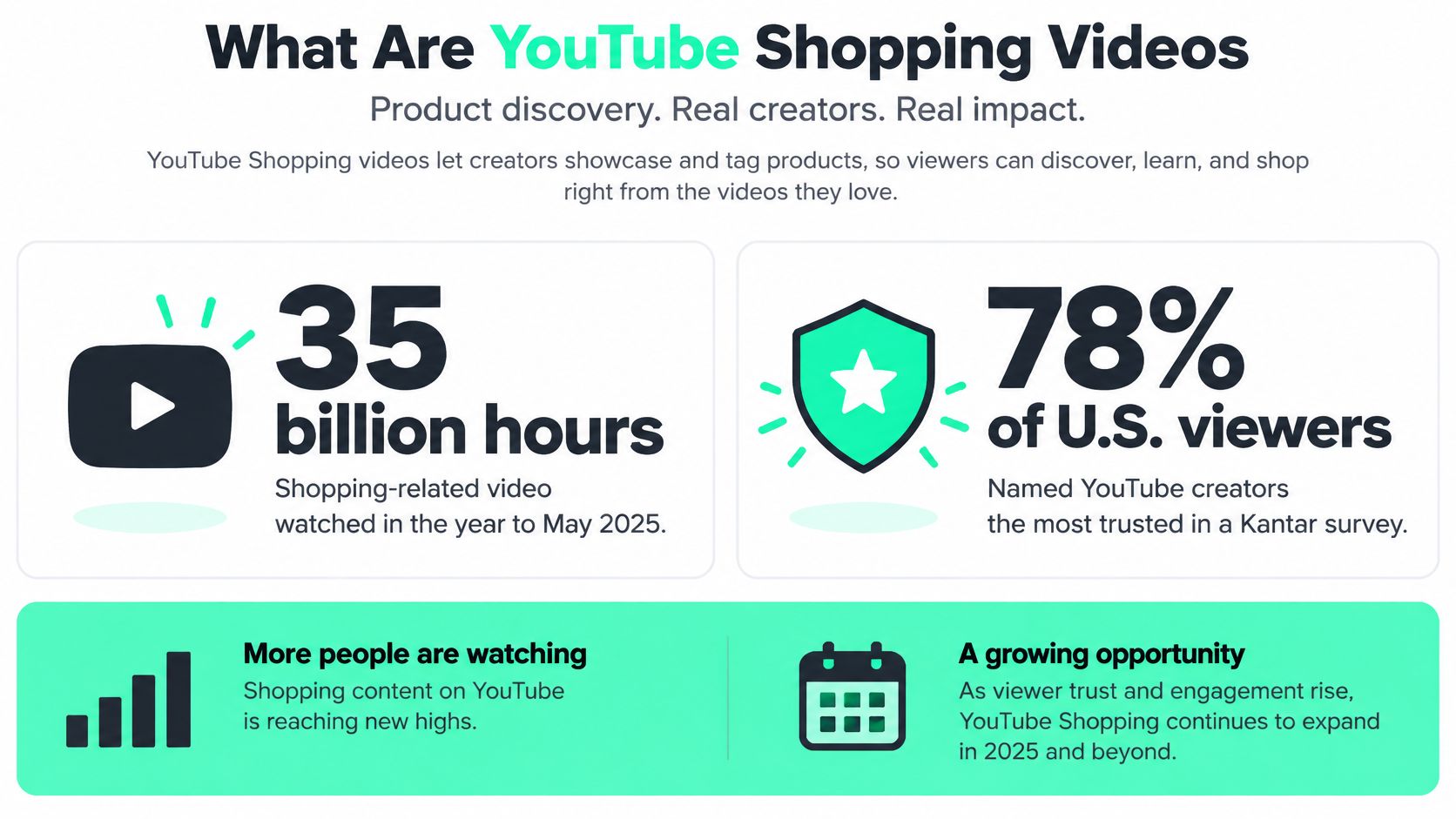
You have two paths. Tag products from your own store's catalog, or tag partner brands and earn a commission when someone checks out. Tags keep working after you hit publish, so an evergreen tutorial can still sell months later, long after the upload week is over.
Shopping tags are an organic commerce feature, not an ad product. Conversions from YouTube ads on connected TVs describe advertising, and you shouldn't treat them as tagged-product sales. Discovery still happens across long videos, Shorts, livestreams, and the TV screen. The tag only shortens the last step, from "I want that" to a product panel.
What follows is the working order: eligibility, a first tagged upload, how each format behaves for the viewer, selective tagging, an accessible purchase path, and the metrics that show a sale rather than a view.
Tag Your First Shoppable Video, Step by Step
Don't open the product picker on day one. If the account isn't eligible, no shelf will appear, and you'll waste a week blaming the catalog.
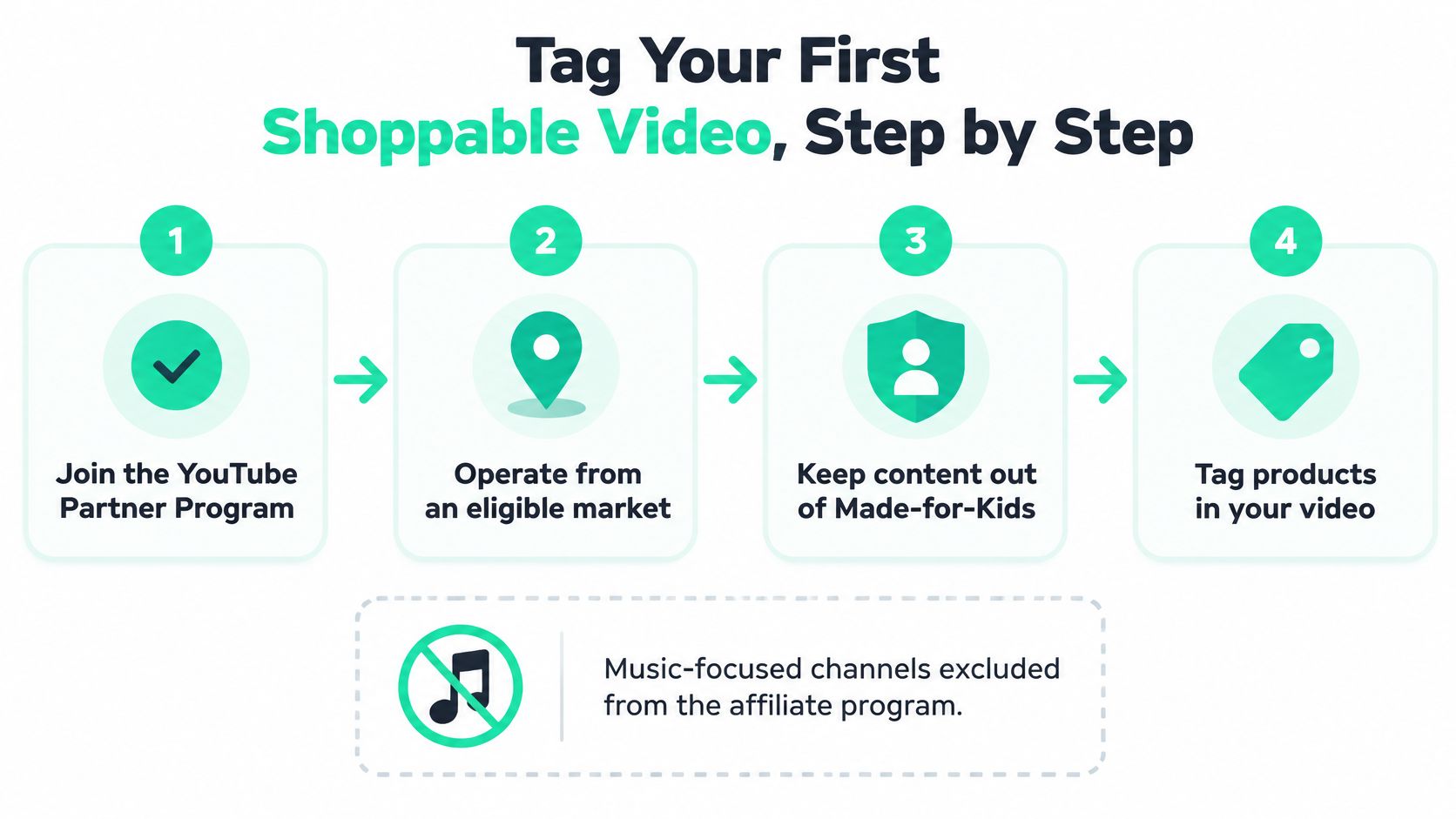
Day 1, confirm the gate. Join the YouTube Partner Program, operate from an eligible market, and keep the video out of Made for Kids. Music-focused channels are shut out of the affiliate program, so a lyrics channel can't use that commission path even if the merch is yours.
Day 2, connect commerce. Link your own store through YouTube Shopping merchant onboarding, for example a Shopify catalog or a Google Merchant Center feed, or join the affiliate program if you want to tag partner brands. Your own catalog is the right path when the product is apparel you designed. Affiliate fits when you're recommending someone else's gear.
Day 3, pick one evergreen video. Choose a upload that already has clear product moments, not a brand-new experiment. A review, a tutorial, or a haul gives you something to timestamp. If the file isn't on the channel yet, follow a clear set of desktop and mobile upload steps before you touch Shopping.
Day 4, tag three to five products. In YouTube Studio, open the video, go to the Shopping section, search the synced catalog, and add only the items you show on purpose. On long-form videos, attach a timestamp so each product surfaces when it appears, not at a random point in the timeline.
Day 5, match the format and say the name. Add product stickers on Shorts, or pin products in a live stream, while the item is on screen. Add captions, speak the product name, and disclose the commercial relationship. A sticker nobody can hear described is a dead end for a lot of viewers.
Day 6, preview, then publish. Check the product shelf, confirm the disclosure label, and make sure the timestamp matches the demo. Publish only after the shelf looks right on both a phone and a desktop preview.
Day 7, read the first numbers, then scale. Look at click-through and whether any orders landed. If the tags hold retention, use bulk tagging to add the same relevant products across older videos that already feature them. Timestamp tagging and bulk tagging were part of the more efficient tools YouTube rolled out in 2023, alongside an expanded Shopping affiliate program, on a platform that already held more than 350 million shopping-related videos by December 2023, as YouTube's year-end shopping note described. That archive figure covers shopping-related videos overall, not only videos using native tags.
Practical rule: If no shelf appears, check Partner Program status and your market before you touch the catalog. Then confirm the exact product is in the synced feed, including the variant you filmed.
The platform ceiling is high enough that you can over-tag. Three to five items you demonstrate will teach you more this week than a shelf stuffed with everything in the room.
How Shoppable Videos Work Across Formats
The same product can invite a different action in each YouTube format. A long-form video can show tagged products in a shelf below the player, with tags appearing at relevant timestamps. Shorts can display tappable product stickers over the video. During a live stream, pinned products remain visible as the creator demonstrates them. Tapping a product opens a panel, and checkout takes place on the merchant's site or through YouTube where that option is supported.
Description links require extra steps: viewers leave the video, find the description, then locate the right product. Tags put the product closer to the moment of interest, so they usually earn more taps than description links. Google Merchant Center's guidance on YouTube product tags explains how product tagging works.
The trade-off is that a visible tag can prompt a purchase, but it can also distract from the video. Test selective tagging: tag products you demonstrate, then compare tag clicks and retention with your usual approach. Judge the results by format, since viewers interact with a product sticker in a Short differently from a timestamped tag in a tutorial. Eligibility also depends on Partner Program status and market availability, so check both before planning a video around Shopping features.
Creators familiar with turning posts into a purchase path can apply the same principle here: connect a product to the moment a viewer is interested. On YouTube, the tagging option depends on the video format.
Tagging options by video format
| Format | Tagging tool | Where viewers see products | Best used for |
|---|---|---|---|
| Long-form video | Product tags with timestamps | Shelf below the player at the tagged moment | Reviews, tutorials, hauls |
| Shorts | Product stickers | Tappable sticker overlaid on the Short | Quick demos, outfit and unboxing clips |
| Live stream | Pinned product tags | Live shopping surface while the item is on screen | Launches, drops, Q&A sessions |
| Any format | Description links | Link list below the video | Fallback where tagging is not available |
Compare each format with its own baseline. A Short's sticker taps and a livestream's pinned-product orders measure different viewer actions, even when both feature the same hoodie.
For clearer results, tag one offer for each variant family. If the video shows a black crewneck, link to that offer rather than a near-duplicate listing. That keeps the purchase choice aligned with what viewers saw.
How to Tag Without Turning Videos Into Ads
YouTube allows up to 60 tagged products on a video, but that is a limit, not a target. Choose tags the way you choose shots: each one should help viewers understand the item or take the next step without pulling attention from the story.
Map tags to moments of intent
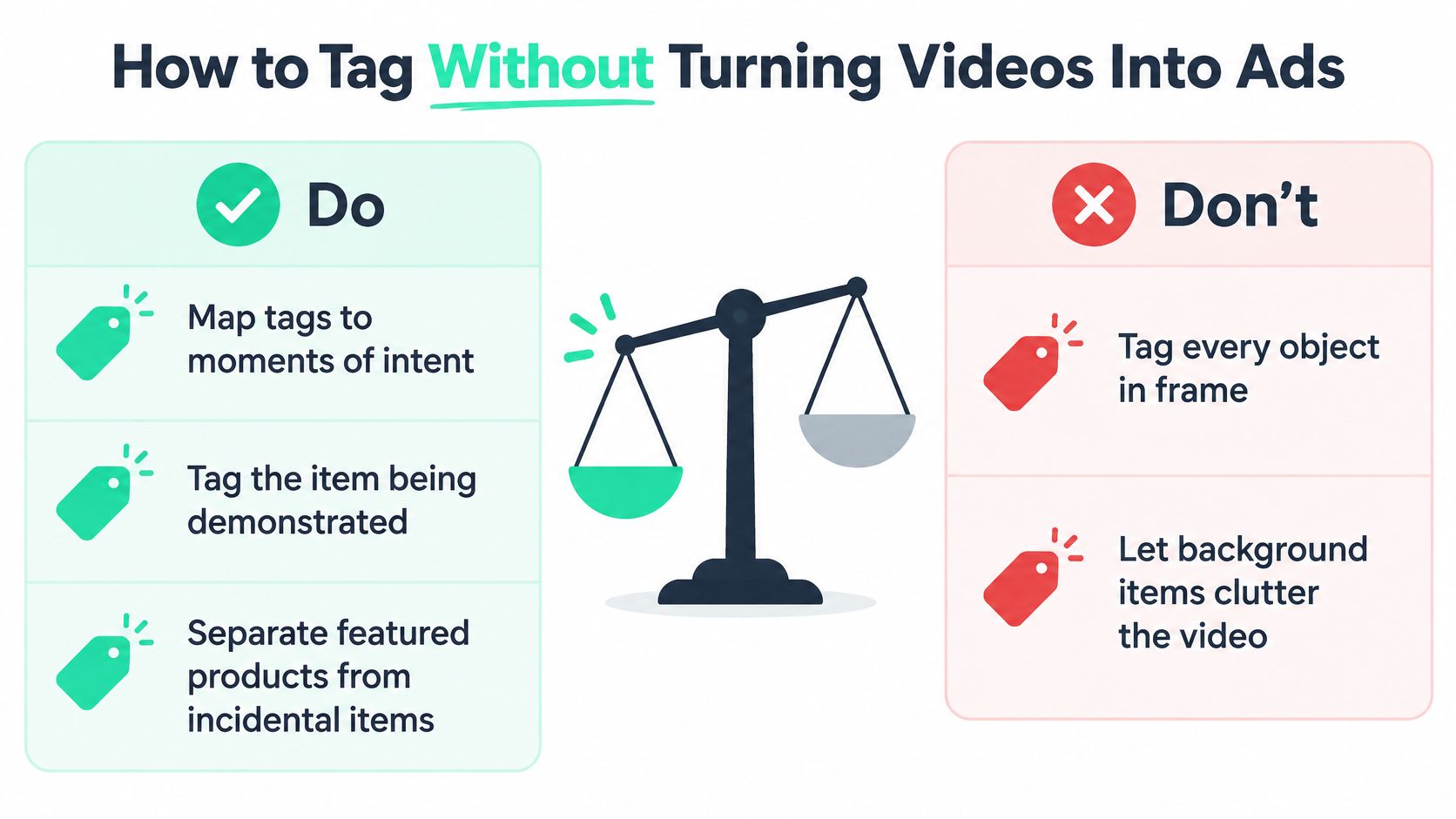
Tag the item when you demonstrate it. Leave background objects such as a mug, chair, or poster untagged unless you use or discuss them. A recommendation should feel connected to what viewers see, not like a list of everything in the frame.
For comedy, commentary, education, and workplace videos, the product may be secondary. Tag it when it plays a clear role in the scene, such as a microphone you adjust while explaining a recording or a notebook you write in. If the video gives viewers no reason to notice the item, the tag may distract more than it helps.
Disclose any paid relationship with YouTube's paid-promotion label and a spoken or on-screen disclosure. Clear context helps viewers judge the recommendation.
What to change on the next upload
- Do: Place the tag when you show and name the item.
- Do: Give the main product priority, then tag only relevant add-ons.
- Don't: Tag every object a viewer could pause on.
- Don't: add more tags just because one gets few clicks. Check retention before changing the plan.
For a separate commercial, build a distinct edit with a Veo3 AI product ad generator. Keep the main video focused on what viewers came to watch.
Test selective tagging by format. Compare product-tag clicks and retention for videos with tags on demonstrated items against similar videos with broader tagging. Read the results separately for Shorts, long-form videos, and livestreams: a change that helps one format may not help another. If clicks rise while retention holds, keep the selective approach. If viewers leave sooner, reduce or reposition tags.
Making the Purchase Path Accessible to Every Viewer
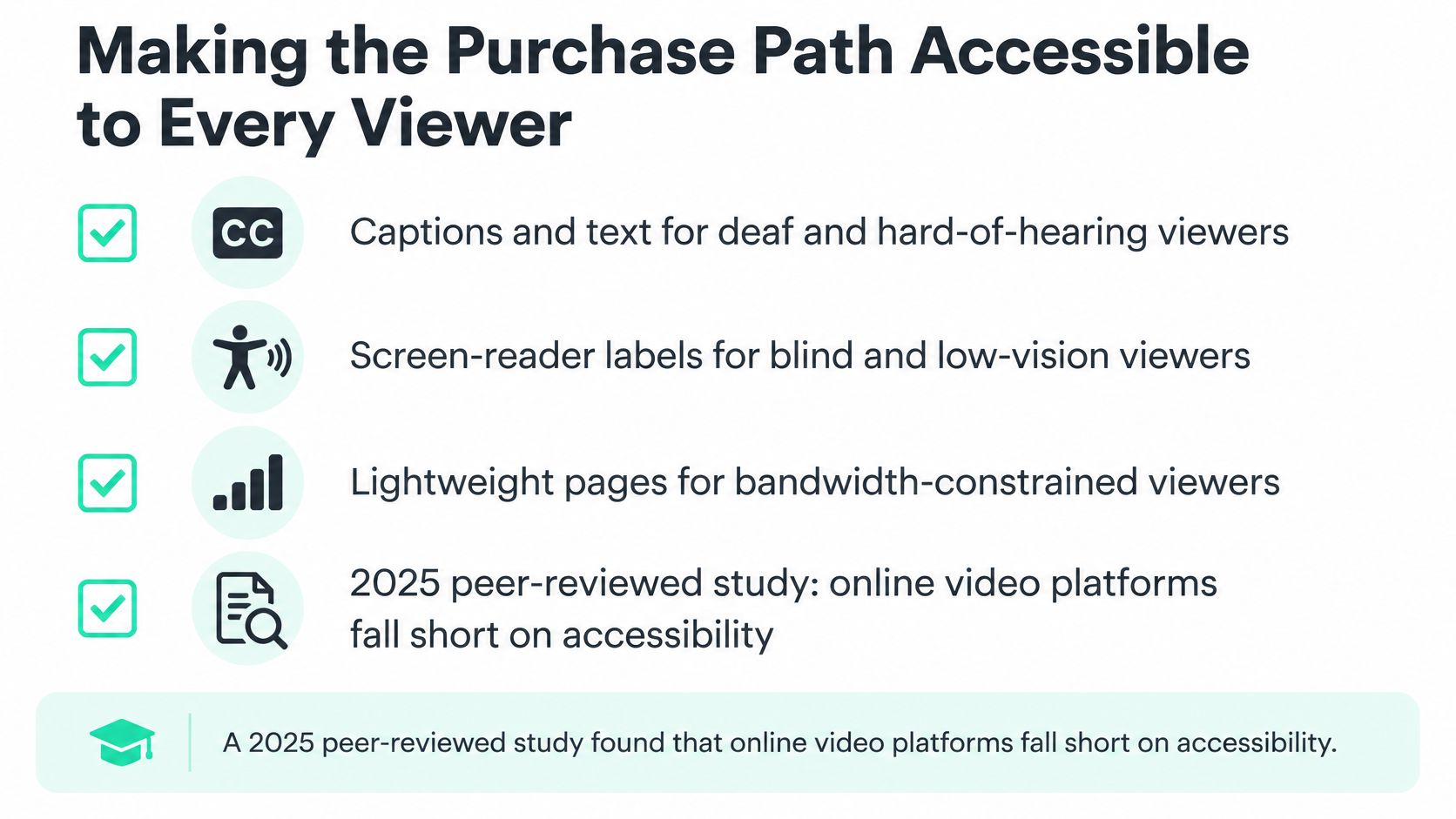
A polished sticker can raise taps for some people and lock others out. A 2025 peer-reviewed study of online video platforms, including YouTube, found accessibility gaps, especially in keyboard navigation, color contrast, responsive content, screen-reader compatibility, and alternative media. That's lost orders, and it's also bad fits that come back, because someone bought a size or color they couldn't confirm.
Treat the purchase path as something you design, not a caption you bolt on.
- Captions that carry the facts: Include the product name, color, size, and price in the captions, not only a vibe.
- Speech: Say each product name out loud so blind and low-vision viewers aren't stuck on a sticker.
- Contrast: Keep on-screen text high-contrast. Never put the only copy of the price or size inside the sticker.
- A plain-text fallback: Repeat the products in the description. A link-in-bio page built for YouTube can hold the same names in text a screen reader and a slow connection can both use.
- A phone test: Play the video on a phone at low bandwidth and try to identify the product without pausing on the sticker.
Then localize. Translate captions and titles for the markets that already watch you. Show prices in local currencies where the store supports it. Confirm the product can ship there before you tag it. A tag that opens an unavailable listing trains people not to tap the next one.
The Metrics That Show Whether Tags Sell
Views don't prove the tag worked. Product-level reporting does. Google's Merchant API exposes fields that include impressions, views, clicks, orders, gross sales, net sales, commissions, conversion rate, tagged-video count, and tagged-creator count. YouTube's expanded Analytics can also show engagement with tagged products and how much traffic starts from product pages. If you sell your own line, stable product IDs and a synced catalog let you compare a design across videos instead of cheering a view count. For a fuller picture of which video earned the order, pair those fields with revenue attribution rather than last-click guesses.
Read the funnel
Click-through rate is clicks divided by impressions. It tells you whether people who saw the tag cared enough to tap.
Purchase conversion rate is orders divided by clicks. It tells you whether the page, the price, or the variant killed a click that the video had already earned.
Net sales are what remains after refunds. Gross sales flatter a product that comes back because the fit was wrong.
Decide by SKU
Review after every drop, and split long-form, Shorts, and live. Averaging them hides a format that's working.
| Metric | How to read it | Action if weak |
|---|---|---|
| Click-through rate (clicks ÷ impressions) | Share of viewers who tap a tag after seeing it | Re-tag at the demonstration moment or feature fewer products |
| Conversion rate (orders ÷ clicks) | Share of tag clicks that become orders | Improve the product page, price, photos or variants |
| Net sales (gross sales − refunds) | Revenue that actually stays after returns | Investigate fit, quality or expectation gaps |
| Tagged-video count per product | How much evergreen catalog coverage a SKU has | Tag more back-catalog videos that feature the product |
| Commissions (affiliate) | Earnings per tagged partner product after fees | Drop low-earning partners and keep strong converters |
High impressions and weak clicks mean the tag is in the wrong moment, or you featured too many products. High clicks and weak conversion mean the video did its job and the page didn't. Repeat orders and strong net conversion are the signal to make more of that SKU, not to film a new one.
Real Examples of Shoppable Videos in Action
Four patterns cover most of what working creators publish.
A beauty creator applies foundation and tags that exact shade at the timestamp the brush hits the skin. The viewer doesn't pause to guess the name. The shelf already has the product they just watched go on.
A tech reviewer tags the laptop, then the dock, the webcam, and the bag, but only after each one is used. Pros and cons stay in the script. The shelf matches the spoken list, so the recommendation still sounds like a review.
A streetwear label pins the hoodie the moment it hits the table in a launch stream, answers sizing in chat, and sells through the featured size. The replay keeps the pin, so the stream doesn't die when the live window closes.
A channel tags its own apparel and lets the video act as the storefront. Design, production, and shipping sit behind the shelf. The creator's job on camera is to wear the piece and tell the truth about the fit.
The pattern they share
The product is on screen, the tag lands at that moment, the commercial relationship is obvious, and the pitch matches the tone of the video.
Break any one of those and the shelf starts to feel stuck on. Keep all four and the same upload can introduce the product, answer the objection, and take the order.
Your Next Step for Merchandise Sellers
If the product is merch, you don't have to stitch a store, a factory, and a returns desk together before the first tag. We run a YouTube merch path with native YouTube Shopping, an AI Merch Generator, and a Fashion Design App, across 600+ fashion-led products. You design the drop, we handle manufacturing, fulfillment, shipping, and returns, and you tag the garment that's on screen.
Use one canonical offer per variant family, then score the drop by format. Long-form, Shorts, and live won't tell the same story. Confirm you're eligible and that the destination country can receive the product before you cut samples or spend on the video. On-demand merch is the production model that lets you do that without a warehouse full of a design that hasn't been filmed yet.
Today's action is small. Open YouTube Studio, open Shopping on your best-performing video, and tag the first product you already demonstrate.
FLYP LTD gives creators and enterprises an AI-native way to design merch, tag it with native YouTube Shopping, and let fans buy from the video while we handle production, shipping, and returns. If you're ready to turn a video people already trust into a shelf that sells, start with FLYP LTD.